Anthropic shipped the Model Context Protocol in late 2024. By 2026 every serious AI client supports it: Claude Desktop, Claude Code, Cursor, Cline, Continue, Zed, Windsurf, Goose. The protocol gives those clients a typed contract for calling external tools, so the AI no longer needs you to paste your schema into chat.
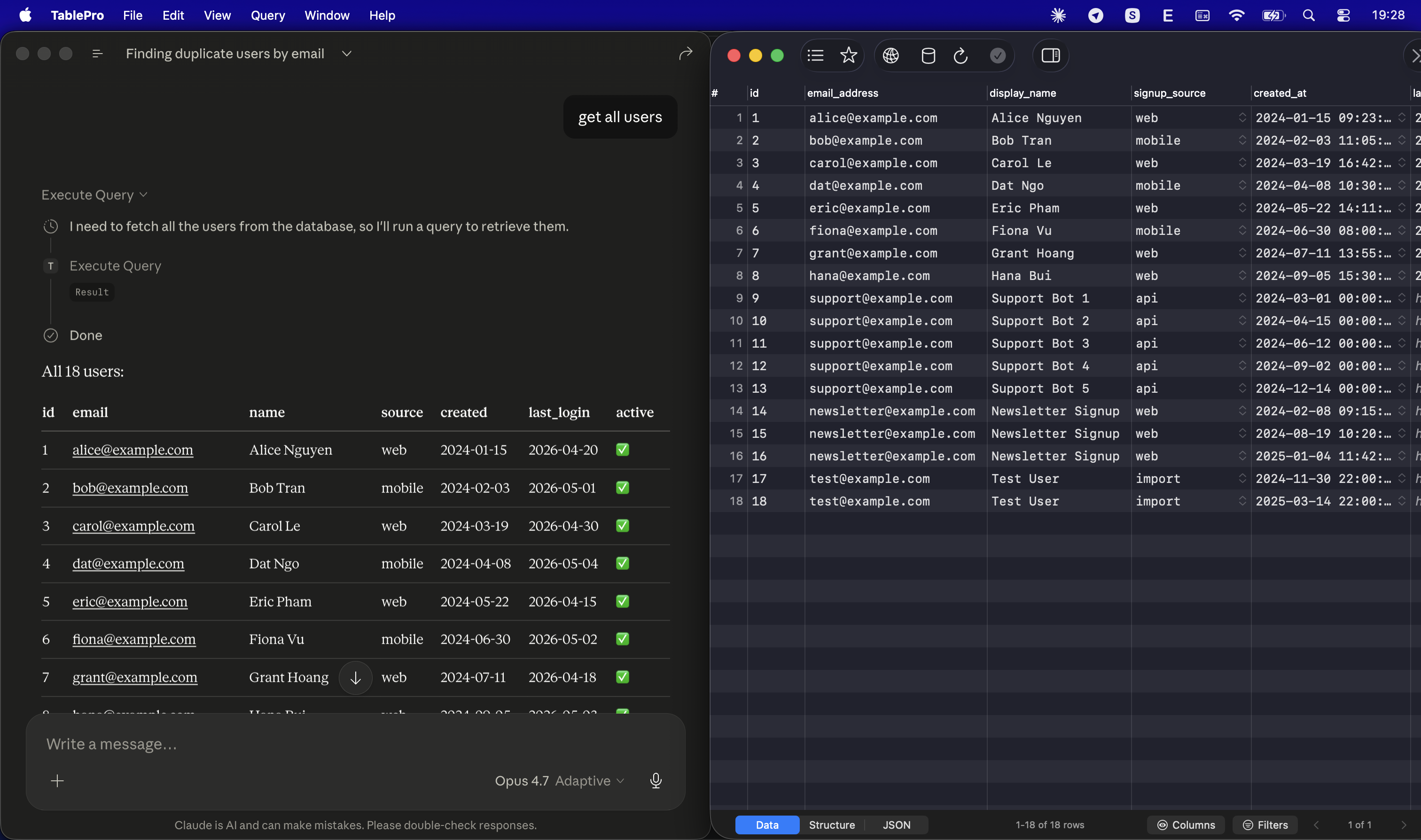
For database work the win is small but real. Instead of three round trips to figure out a column name, the AI reads the schema, runs a SELECT, and answers in one. This post is the setup guide for using MCP against your databases through TablePro, plus what the security model looks like once you do.
Why route MCP through a database client
You can run a standalone MCP server that wraps a single Postgres connection. The npm registry has a dozen of them. They work fine for one database. They fall over the second day, when you have local, staging, prod, a read replica, and a SQLite file for tests, and you want one AI to reason across all of them.
A database client already solved that problem. The connections live in Keychain. The schema is cached. Query history is recorded. Hosting MCP in the same process means one source of truth for credentials and one place to revoke access.
TablePro's MCP server is HTTP-based on a port in the 51000-52000 range, picked on first launch and written to ~/Library/Application Support/TablePro/mcp-handshake.json. A small CLI bundled inside the app (tablepro-mcp) bridges stdio to that HTTP server, so any client that speaks stdio MCP can connect without seeing the port or the token. The server lazy-starts on first call, so you do not have to flip a toggle before pairing.
Setup
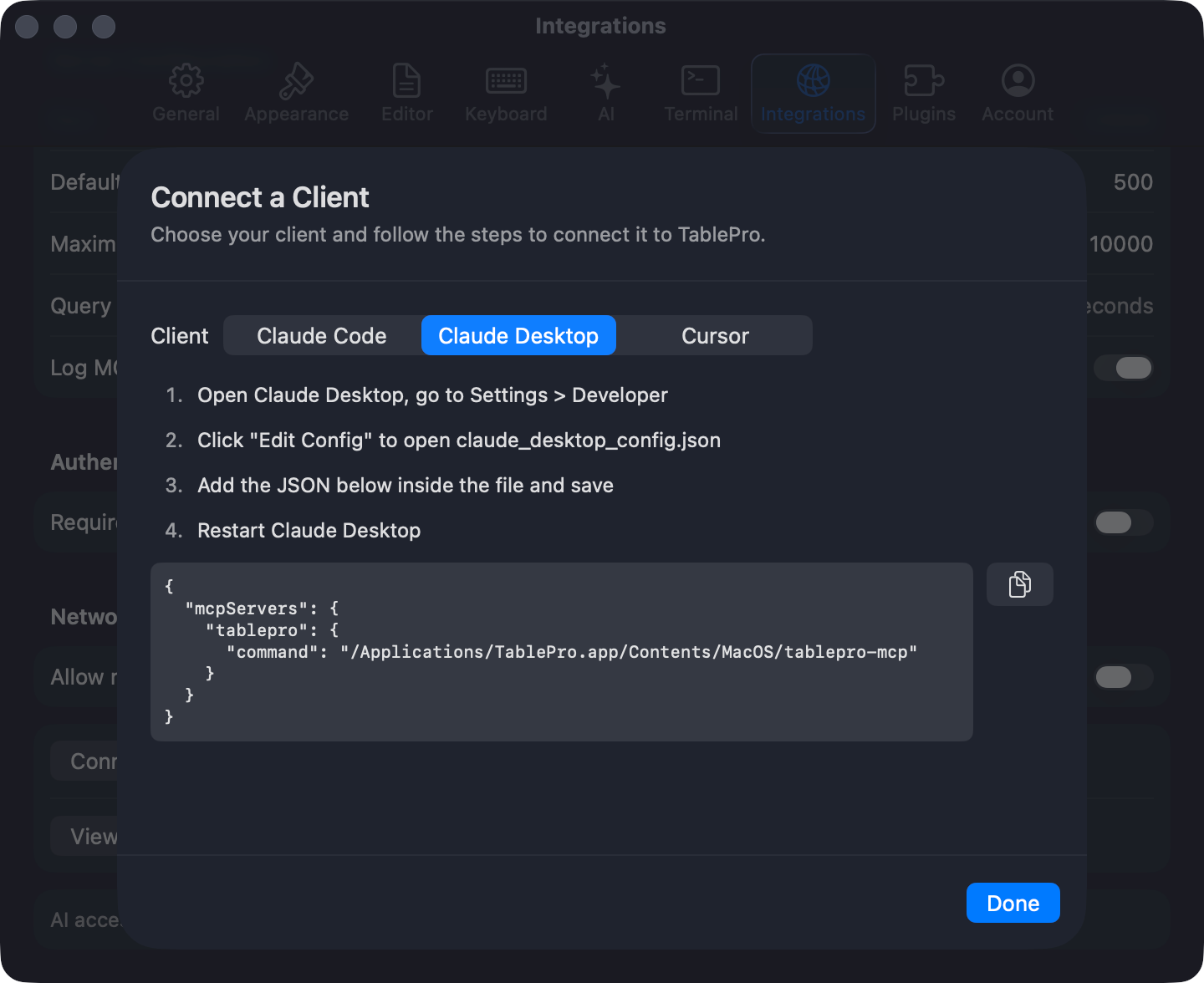
The fastest path is Settings > Integrations > MCP Setup. Each button writes the right config file for one client. If you would rather edit JSON, the shape is identical across every stdio MCP client:
{
  "mcpServers": {
    "tablepro": {
      "command": "/Applications/TablePro.app/Contents/MacOS/tablepro-mcp"
    }
  }
}
No token, no port, no flag. The bridge reads the in-app handshake. Restart the AI client and TablePro shows up in the tool list.
| Client | Where the config goes |
|---|---|
| Claude Desktop | ~/Library/Application Support/Claude/claude_desktop_config.json |
| Claude Code | claude mcp add tablepro -- /Applications/TablePro.app/Contents/MacOS/tablepro-mcp |
| Cursor | ~/.cursor/mcp.json (global) or .cursor/mcp.json (per project) |
| Cline, Continue, Zed, Windsurf, Goose | Same mcpServers shape, see the docs |
If TablePro is installed under Setapp or another path, replace the command with the absolute path to your bundle's tablepro-mcp binary. The TablePro app must be running for the bridge to work, but you can keep it minimized.
What the AI gets
After connection the AI sees a typed catalog of tools. The ones that matter day to day:
list_connections,list_databases,list_schemas,list_tablesfor navigation.describe_tableandget_table_ddlfor columns, types, indexes, and the fullCREATE TABLE.execute_queryfor SQL.search_query_historyfor what you have run before.confirm_destructive_operationas a typed gate forDROP,TRUNCATE, andDELETEwithoutWHERE.
A handful of UI tools also exist (open_table_tab, focus_query_tab, list_recent_tabs) so the AI can drive TablePro itself. That matters when you ask it to "open the orders table sorted by created_at"; you stay in your own client and just see the right tab open.
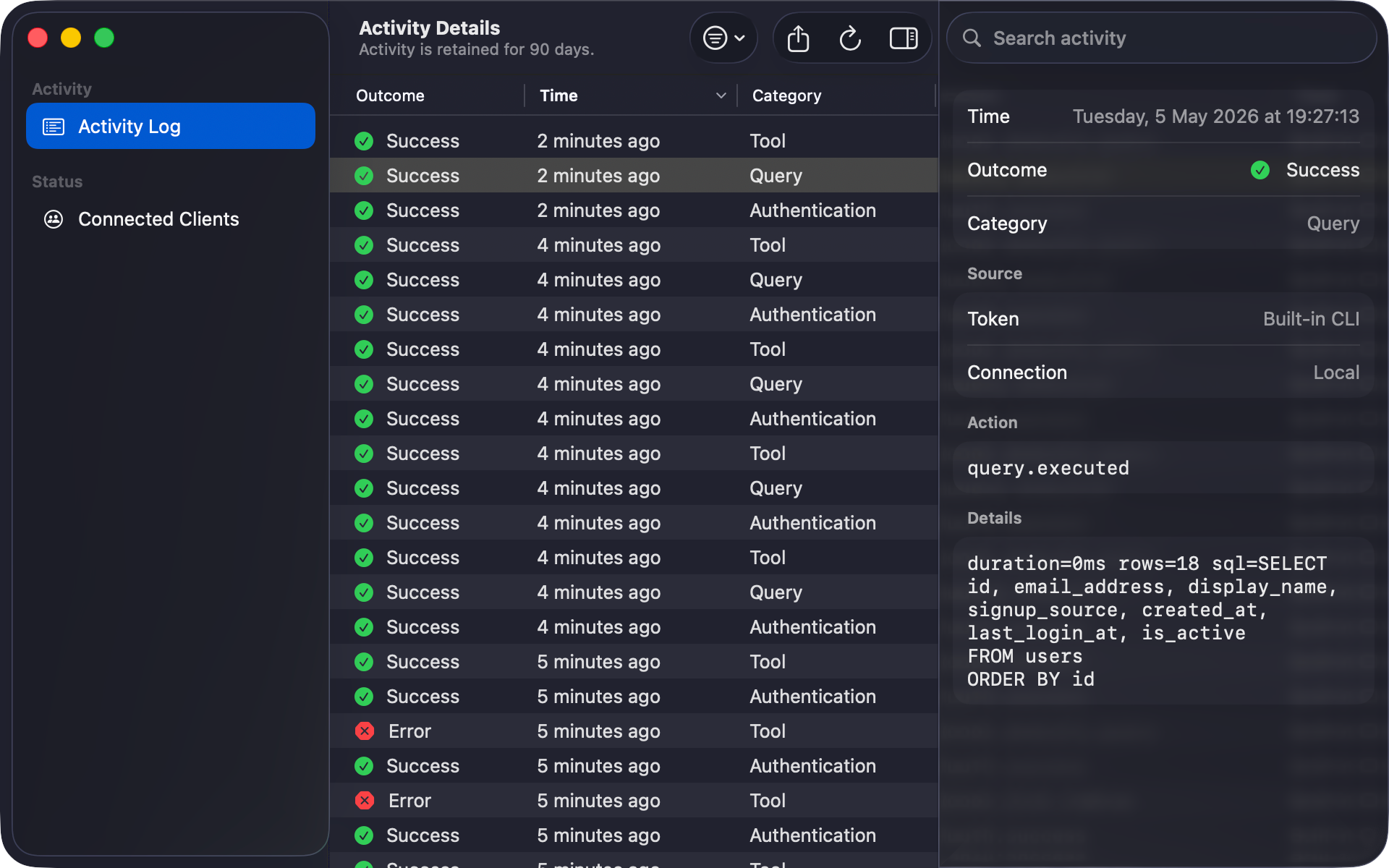
The AI does not see your data unless it asks for it. Schema introspection is free, but rows require an execute_query call. That call is logged and visible in TablePro's Query History tagged as MCP, which is how you audit what the AI actually ran.
The security model
Three things gate every call.
The token has a scope. readOnly permits schema introspection and SELECT. readWrite adds INSERT, UPDATE, DELETE. fullAccess is the only scope that can pass confirm_destructive_operation, and even that requires a typed confirmation phrase. A new pairing defaults to readOnly.
The connection has its own access setting. externalAccess: blocked rejects every tool against that connection regardless of token scope. externalAccess: readOnly rejects writes from a readWrite token. This is per-connection, so production can be locked down while staging is open.
Every authentication, tool call, and resource read is logged for 90 days under Settings > Integrations > Activity Log with the token id, action, connection, and outcome. Denied calls show up there too, which is how you spot a misconfigured scope before it becomes a habit.
The MCP server itself is localhost-only by default. The Origin header is validated against localhost, 127.0.0.1, and ::1, which closes off DNS-rebinding attacks from the browser. If you need to reach TablePro from another machine (a remote desktop, a CI runner), toggle Remote access under Network. That switches on TLS with a self-signed cert and rejects unauthenticated requests. Tailscale or an SSH tunnel is the usual pairing.
Example: find duplicate users
Without MCP:
You: find duplicate users by email
AI:  SELECT email, COUNT(*) FROM users GROUP BY email HAVING COUNT(*) > 1
You: column "email" does not exist
AI:  what columns does the table have?
You: id, email_address, created_at, ...
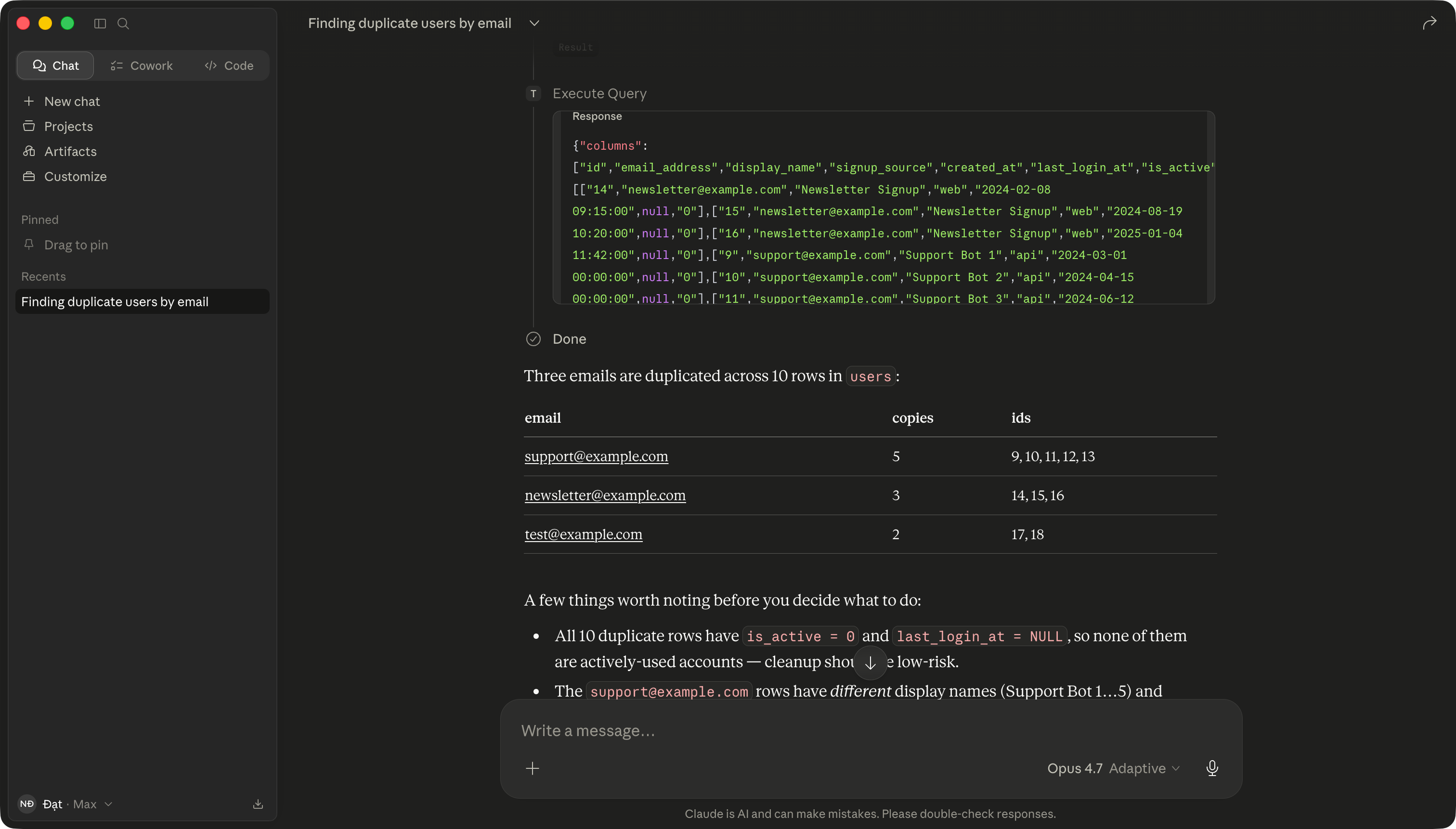
Three round trips. With MCP, the AI calls describe_table first, sees the column is email_address, runs the right query, and replies with the row count. The query lands in your TablePro Query History, so you can rerun it later without re-prompting the AI. This is the small but compounding win that makes MCP worth wiring up for daily database work.
When MCP is not the right tool
Two cases where you should not reach for it:
- Mass data work. AI calling tools one query at a time is slow and stateless. Migrations, bulk imports, and scheduled jobs belong in real tooling with diff and rollback.
- Sensitive data in chat. MCP returns rows to the AI and the AI may quote them in its response. PII, payment data, and health records do not belong in a chat transcript. Run those queries in TablePro directly, or scope the AI's connection to non-sensitive replicas.
Read-only, scoped to one connection, audited via the activity log, is the default that ages well. Writes are an opt-in for specific tasks.
Get started
Install TablePro, add a connection (MySQL, PostgreSQL, SQLite, ClickHouse, Redis, MongoDB, Cloudflare D1, BigQuery, MSSQL, Oracle, DynamoDB, Cassandra, Etcd, DuckDB, and LibSQL all work), open Settings > Integrations, click the setup button for your AI client, and restart it. Ask the AI about a table you remember the name of. The first answer that quotes your real schema is the moment MCP starts paying for itself.