
PostgreSQL client
Query PostgreSQL, browse schemas and edit rows with SQL previews. Inspect EXPLAIN plans, jsonb, arrays and PostGIS values.
Works on Mac, iPhone and iPadDriver comes with the Mac app
Included in Free; paid plans add optional featuresOpen source (AGPL-3.0)


At a glance
- Query language
- SQL
- Driver
- Comes with the Mac appShared with Amazon Redshift, CockroachDB and PGlite
- Connect with
- Host and port, SSH tunnel, SSL/TLS, AWS IAM, Cloud SQL Auth Proxy
- Default port
- 5432
- Minimum version
- 9.1
- iPhone and iPad
- Opens
Connect
Enter a host, port, user and database, or paste a postgresql:// or postgres:// URL. The database is required.
New connections start with SSL set to Preferred, libpq’s sslmode=prefer. Choose Verify CA or Verify Identity to check the server’s certificate.
Turn on Use ~/.pgpass to read the password from ~/.pgpass. The form reports what it found, including a file whose permissions would make libpq ignore it.
Reach private servers through SSH tunnels, jump hosts, proxies or tunnel commands. Amazon RDS and Aurora support AWS IAM for roles granted rds_iam. Google Cloud SQL uses the Cloud SQL Auth Proxy.
Anything libpq accepts as a connection option, such as -c application_name=reporting, goes in Connection Options.
Query and edit
Write SQL with schema-aware autocomplete. View EXPLAIN and EXPLAIN ANALYZE as diagrams or trees, and compare plans from two runs.
Inspect formatted jsonb and PostgreSQL types, including uuid, inet, timestamptz, interval and bytea. Edit array elements as a list; enum columns offer their labels.
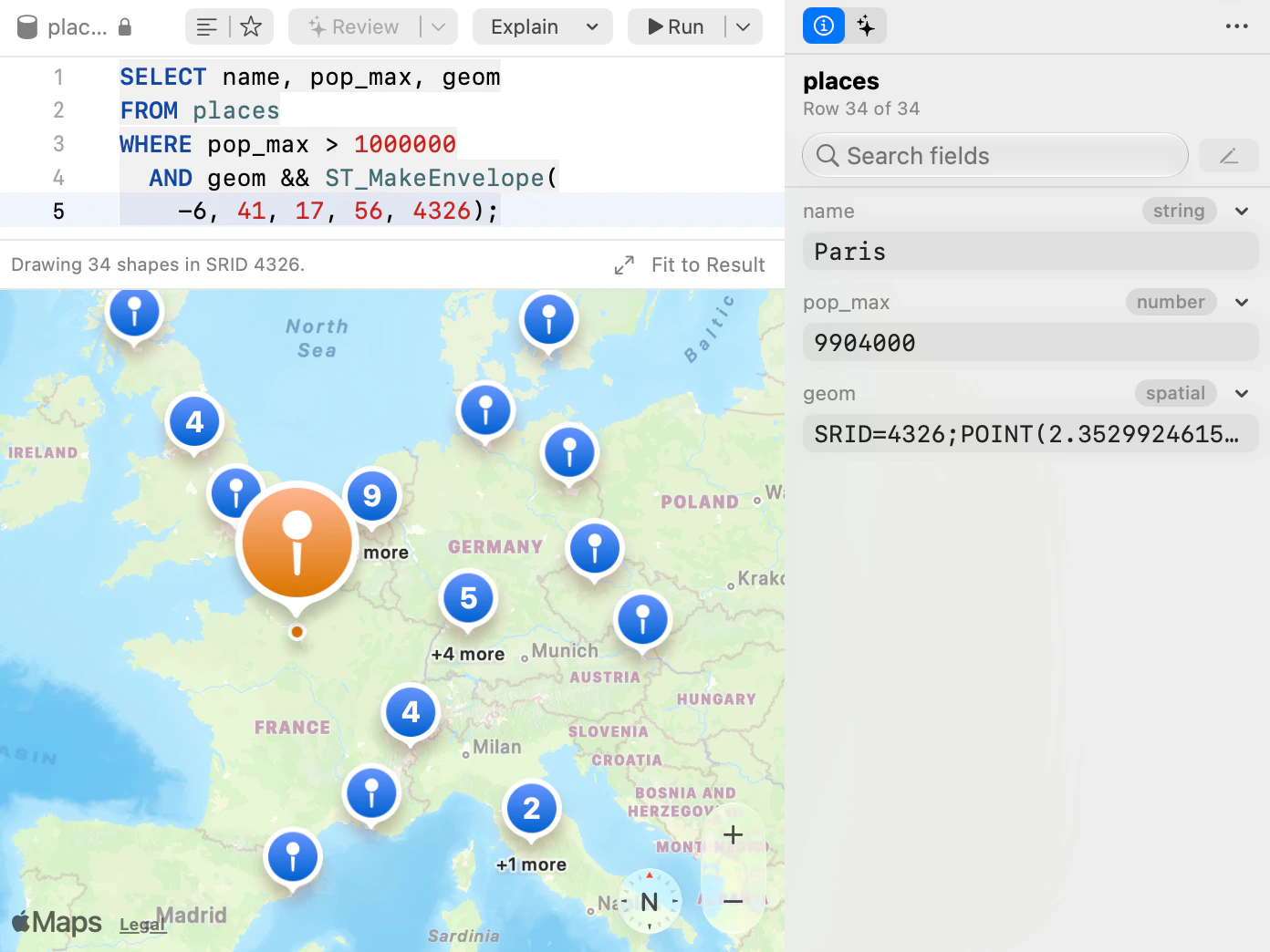
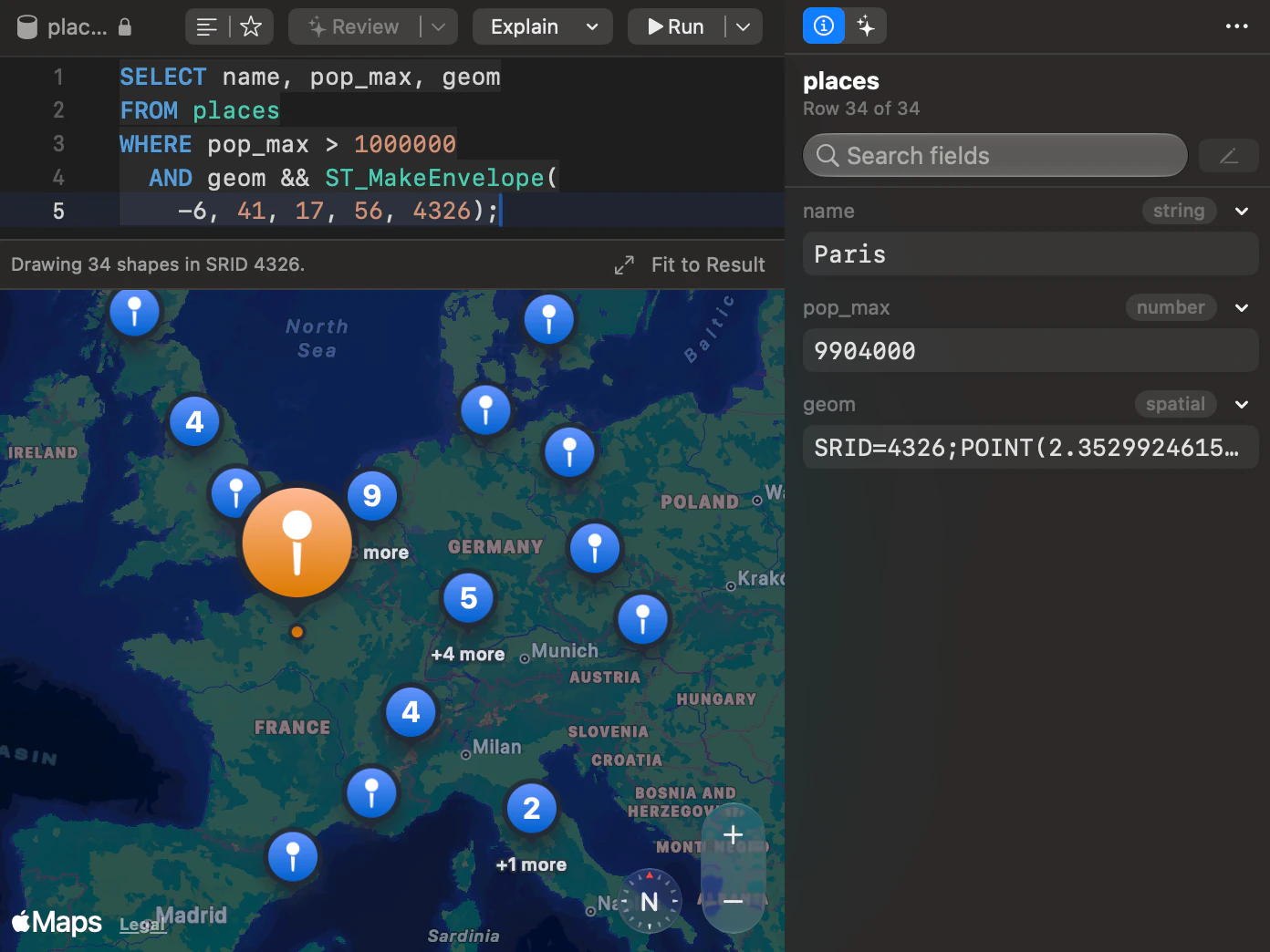
PostGIS geometry and geography values read as EWKT with their SRID, and a result with geometry opens on the Map view. The map tiles come from Apple; your rows stay on your Mac.
Row edits are staged until you save, with Preview SQL showing every statement first, and saves run as bound parameters. A materialized view’s rows are read-only: refresh it from its menu, concurrently when the view has the unique index PostgreSQL requires.
Schemas and structure
Browse accessible schemas. Create or edit a schema with its owner, comment and grants, then review the SQL before applying it.
Stage column, index, foreign key, CHECK and generated-column changes in the Structure tab. Browse partition bounds and PostgreSQL Types, including enums, composites, domains and ranges. Enum labels can be added or renamed.
A view’s definition is rebuilt with every table schema-qualified, and an index left invalid by a failed concurrent build is named in the Indexes tab.
Compare & Sync (Starter) compares PostgreSQL schemas or data and generates a sync script. Changes that could remove data are held back for review.
Administer
Review the source of each privilege in Users & Roles. Grant and revoke changes are staged as SQL.
The Server Dashboard shows sessions, connections, cache hit ratio, database size and slow queries. It cancels a query with pg_cancel_backend or ends a session with pg_terminate_backend. A role that is neither a superuser nor a member of pg_monitor sees other sessions without their queries.
Preview VACUUM, ANALYZE, REINDEX and CLUSTER before running table maintenance.
Backup Dump and Restore Dump run your own pg_dump and pg_restore through the connection’s SSH tunnel. Install them with Homebrew; to back up a PostgreSQL 9.1 server, use pg_dump 14 or earlier.


Move data
Import CSV, TSV, JSON, JSONL, XLSX and SQL files with column mapping and row-error handling. Export tables or results as CSV, JSON, SQL, XLSX, Markdown, HTML and XML; SQL exports retain table, view and materialized-view comments.
Copy To transfers tables, data or both to another PostgreSQL connection or engine. Review any column types that must be approximated.
iPhone and iPad
PostgreSQL is offered when you create a connection in the iPhone and iPad app.
On iPhone and iPad, you switch databases and schemas from the toolbar, browse tables as cards, edit rows that have a primary key and run SQL in the Query tab. SSL can be set from Required up to Verify Identity, SSH tunnels sign in with a password or a key, and jump hosts are not supported there.

Limits
- Reordering columns writes a script that rebuilds the table. TablePro shows the script and never runs it.
CockroachDB
Default port 26257Comes with the Mac appiPhone and iPad: Does not openMinimum version: None
CockroachDB uses the PostgreSQL driver that comes with the app, so there is nothing to install. New clusters start with the defaultdb database.
For CockroachDB Cloud, copy the host, user, password and database from the Cloud console, put the cluster routing value, --cluster=your-cluster, in Connection Options, and set SSL Mode to Verify Identity. For a local insecure node, set SSL Mode to Disabled.
Table and view DDL comes from CockroachDB’s own SHOW CREATE. EXPLAIN and EXPLAIN ANALYZE text plans are parsed into the plan tree, and the Server Dashboard lists sessions and active queries.
Foreign key checks cannot be deferred.
CockroachDB limits
- The Structure tab is read-only. Run schema changes as SQL in the editor.
- No Backup Dump, Restore Dump or table maintenance. Use CockroachDB’s own BACKUP and RESTORE statements.
PGlite
Default port 5432Comes with the Mac appiPhone and iPad: Does not open
PGlite is PostgreSQL compiled to WebAssembly, and nothing can reach it until you start its socket server: npx @electric-sql/pglite-socket, with --db=./my-pgdata to keep the data on disk.
Connect to 127.0.0.1 rather than localhost. The socket server never checks a password and has no TLS, so the form asks for neither.
PGlite’s catalogs are complete, so structure editing, Users & Roles and the EXPLAIN diagrams work as they do on a server. It exposes one database, postgres.
PGlite limits
- PGlite has to be served by @electric-sql/pglite-socket, which you start yourself and keep running.
- The socket server accepts one client at a time.
- Cancel has no effect: a query always runs to completion.
Other tools
pgAdmin 4
Version 9.18, released September 17, 2026FreeOpen source (PostgreSQL License)Platforms: Mac, Windows, Linux and Web
pgAdmin focuses on PostgreSQL administration, including a debugger, schema diff and backup and restore. Its ERD tool designs a schema and generates the SQL for it, where TablePro’s ER diagram only reads one.
Sources: pgAdmin 4 for macOS, pgAdmin downloads, pgAdmin features, pgAdmin AI Reports, pgAdmin Query Tool, pgAdmin 4 9.18 release notes
Postico 2
Version 2.3.4, released September 28, 2026Closed sourcePlatforms: Mac
Postico 2 focuses on browsing and editing PostgreSQL on Mac. Its documentation excludes backup and restore, user management and monitoring.
Sources: Postico 2, Postico 2 pricing, Postico 2 changelog, Postico 2 compatibility, What is Postico, Postico 2 on the Mac App Store, Postico 2 license terms
More comparisons
Facts about other tools checked October 8, 2026.
Questions about PostgreSQL
Does TablePro work with hosted PostgreSQL, such as Amazon RDS, Neon or Supabase?
Yes. A hosted server is a host and a port like any other. Neon, Supabase and Heroku connect with the host they give you. They require TLS, which a new connection tries first. On RDS and Aurora you can also sign in with AWS IAM, and for Google Cloud SQL TablePro runs the Cloud SQL Auth Proxy.
Can I reorder columns?
TablePro writes the script that rebuilds the table with the new column order and shows it to you, but never runs it. Read it, then run it yourself when the table can be rewritten.
Get TablePro
Requires macOS 13 Ventura or later


Free, with no in-app purchasesRequires iOS and iPadOS 18 or later