
TablePro 0.81: Tabs per Database, Firebase and Bigtable
TablePro Team
On this page
TablePro 0.81 is out: 126 changes, 67 of them fixes.
The tab bar follows the database you're on, Firestore, Realtime Database and Bigtable connect through new plugins, and themes now color every content view. A few rarely used features are gone, and the security fixes make this a critical update.
Tabs per database
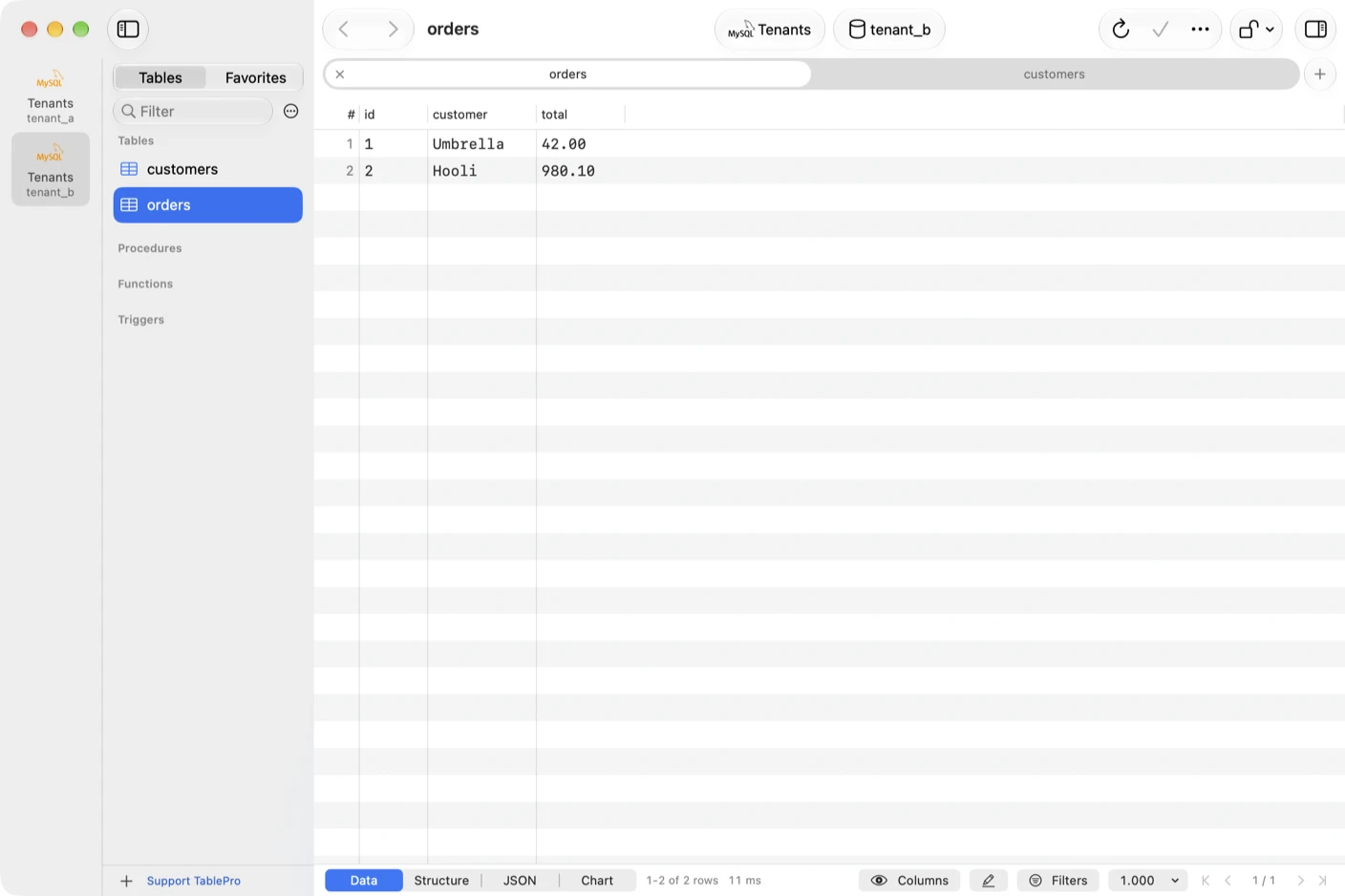
#With a database per tenant on one connection, every tab used to land in one strip, and two orders tabs looked the same. Now each database in the connections strip keeps its own tabs, and the tab bar shows the tabs of the one you're on.
Switching database from the toolbar, the sidebar or Open Database brings back that database's last tab. Picking a tab of another database moves the sidebar there without changing the saved default. Query tabs stay on the database or schema they were opened in.
On servers that switch schemas, such as Oracle, the query editor has a schema picker, so a query tab can point at another schema while the sidebar stays put.
Firebase and Bigtable
#Two new registry plugins, both contributed by @i87ce. Pick one in Choose a Database and TablePro offers the download before the form opens.
- Cloud Firestore and Firebase Realtime Database share one plugin. Sign in with a service account key, Application Default Credentials or the emulators. A Firestore collection is a table, a document is a row, and subcollections show as collection groups such as
*/orders - Google Cloud Bigtable works over the REST API. Rows show
_keyfirst and one column perfamily:qualifier, and a filter on_keyreads only that key range
Neither has SQL. The editor takes request lines instead, such as GET users/alice in Firestore.
Themes reach every pane
#A theme now colors the editor, the data grid, JSON trees, diffs, ER diagrams and charts, while controls and Settings keep the system look. It can also set the window background, which the sidebar, inspector and toolbar take on in macOS 26 and later.
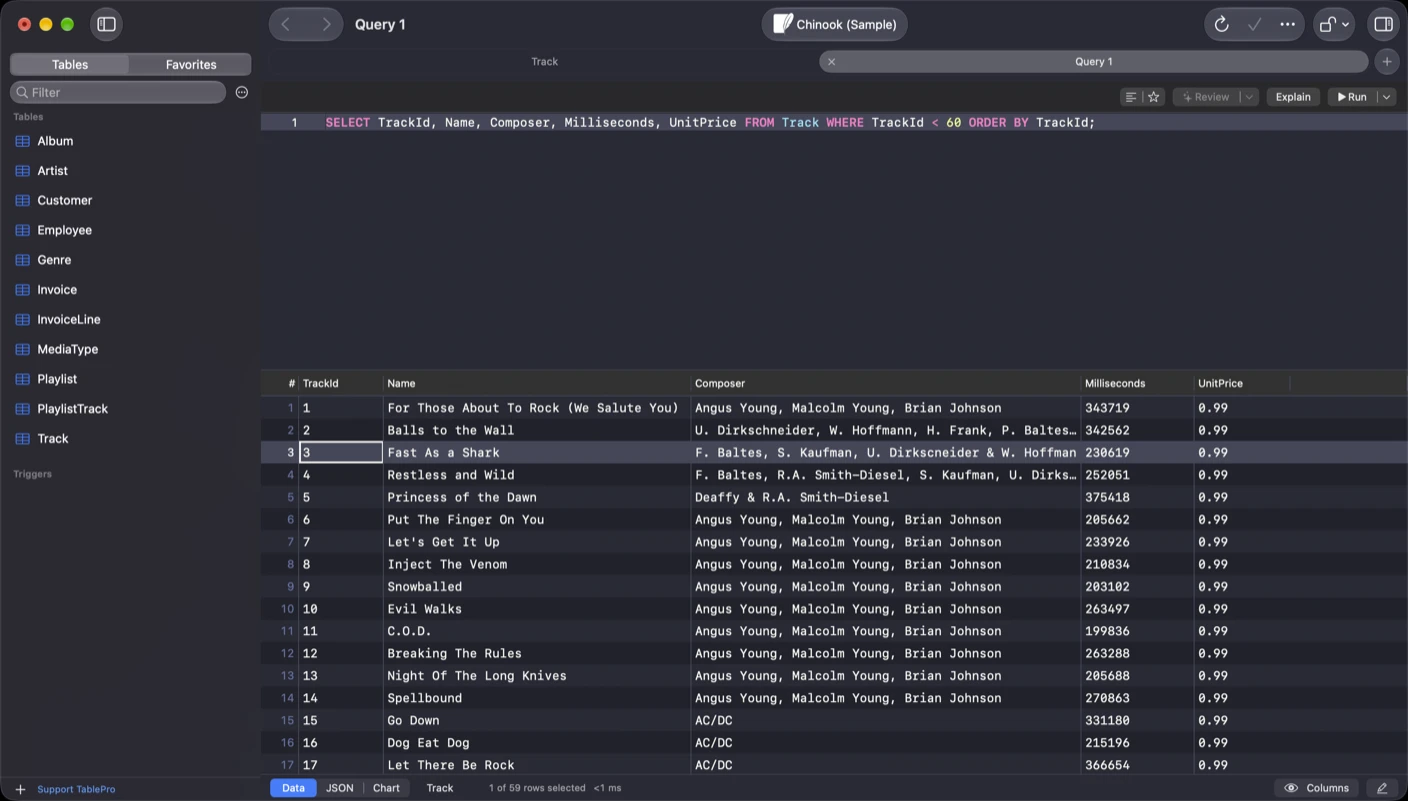
Settings > Appearance has a Light theme and a Dark theme picker, plus New Theme Based On, Rename and Show in Finder for custom themes. Default Light and Default Dark use the system colors and Xcode's default syntax colors.
Themes made for 0.80 and earlier don't load. Recreate a custom theme with New Theme Based On. Fonts left the theme file too: Editor Font is in Settings > Editor and Data Grid Font in Settings > Data.
Oracle password warnings
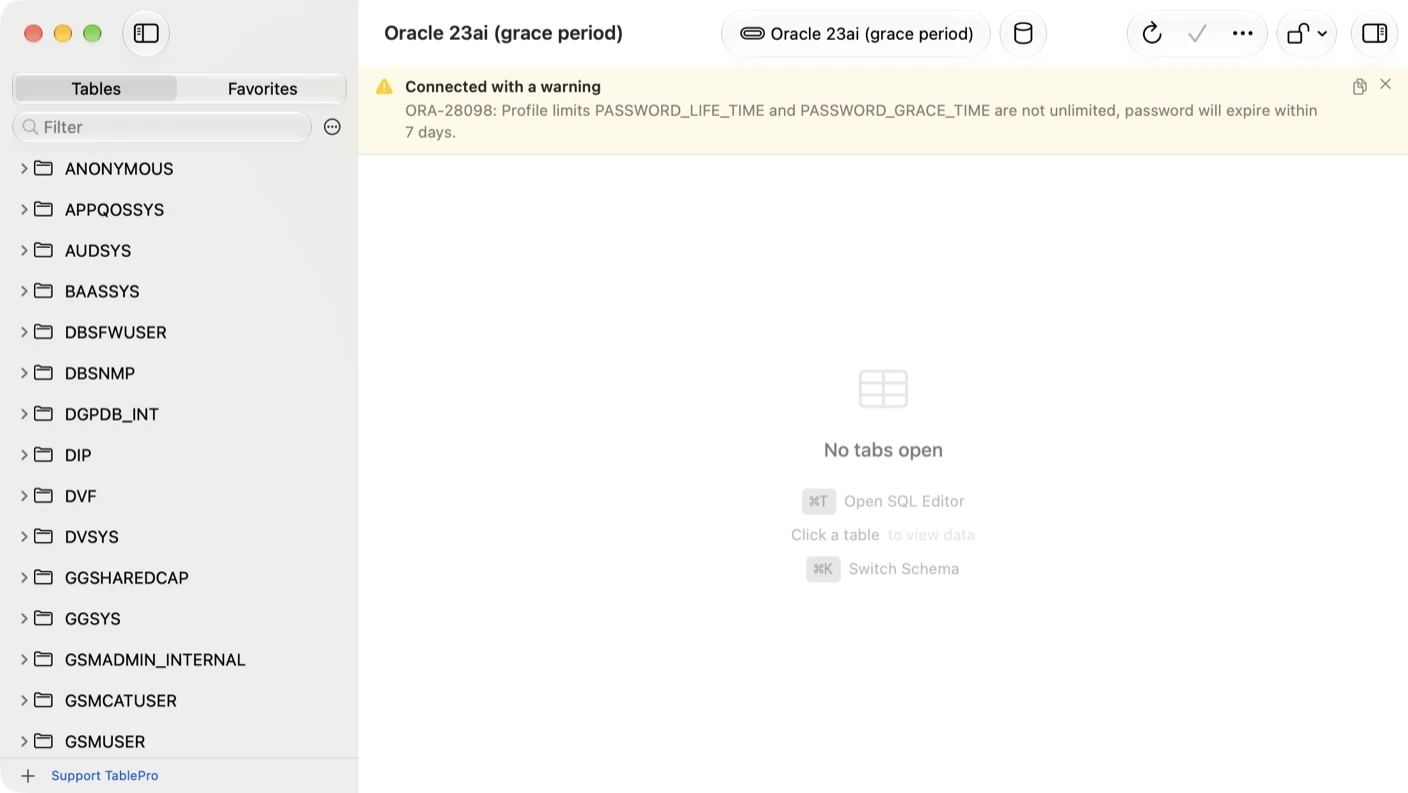
#An Oracle account in its password grace period used to time out after 30 seconds. It connects now, with a banner showing the server's warning. Test Connection shows it too.
Removed
#- Plugins signed by other developers no longer load. Every registry plugin is signed by TablePro
- HTML and XML export are gone
- The Cursor AI provider is gone, and xAI needs an API key instead of Sign in with xAI. Cursor still reaches TablePro through MCP
- Every MCP request needs a token, including one from this Mac
- Server-Side Export for Oracle, Snowflake and BigQuery. Run the unload statement in a query tab
- Export as SQL in the ER diagram, PostgreSQL enum label editing, the Server Dashboard for SQLite and DuckDB, and per-kind notification toggles
Security
#- MCP, pairing and query link prompts no longer take focus from the app you're typing in, and Return denies instead of approving
- A pre-connect script asks before it runs when MCP, AppleScript, the AI assistant, Compare or Copy To opens the connection
- Import and Transfer To go through Safe Mode's confirmation, Touch ID and the audit log
That's why 0.81 is marked critical: the update alert comes up right away, without Skip or Remind Me Later.
Also new
#- Updates download as a delta from any of the last five releases. From 0.80 that's 14 MB on Apple silicon instead of a 32 MB zip
- The
tableprocommand ships inside the app, and Settings > General shows the Terminal line that links it. No administrator prompt - The MCP server runs only while Enable MCP Server is on
- A setting in Settings > General hides the version and Check for Updates on the Welcome window, by @RaffeYang
- AI chat scrolls without stutter and follows a reply as it streams
Fixes worth knowing about
#- Clearing a date, number or boolean cell saved an empty string instead of NULL, which MySQL stored as
0000-00-00 00:00:00 - MySQL dumps failed to restore on zero dates or
ANSI_QUOTES, and shiftedTIMESTAMPvalues across time zones - Show DDL on a view printed a made-up
CREATE TABLEon SQL Server, Oracle, Dameng, DuckDB, Redshift and Cassandra - On iPhone and iPad, a query with more than one statement ran only the first
What it will not do
#- Firestore and Realtime Database have no live listeners. A grid shows what was read until you refresh it
- Bigtable has no GoogleSQL and no reverse scans
- PostgreSQL schemas inside one database stay one entry in the connections strip
- An old theme has no converter. It has to be made again
Getting it
#TablePro checks for updates on its own, or choose TablePro > Check for Updates…, or download it from tablepro.app.
The Oracle, Cassandra, Cloudflare D1, Dameng, DuckDB, DynamoDB, Elasticsearch, SAP HANA, libSQL, MongoDB, MSSQL, Spanner, Teradata, Trino and Typesense drivers have updates in Settings > Plugins.
Related pages
Full release notes
Available for Mac, iPhone and iPad.
Download for Mac