
TablePro 0.80: Cloud SQL IAM Sign-In and MySQL Sockets
TablePro Team
On this page
TablePro 0.80 is out: 132 changes, 89 of them fixes.
There are two new ways to connect: Google Cloud IAM for Cloud SQL, and a Unix socket for MySQL and MariaDB. The row inspector draws a geometry value on a map, the status bar totals the cells you select, and connection exports include saved queries.
Cloud SQL with IAM, without the proxy
#If you can already reach the instance, over its private IP or an authorized network, you don't need the Cloud SQL Auth Proxy to sign in with IAM.
On the General tab, set Authentication to Google Cloud IAM (Application Default) to use your gcloud auth application-default login credentials, or to Google Cloud IAM (Service Account) to use a key file. Put the instance IP in Host and the IAM database user in Username. There is no password to type.
TablePro signs in with a one-hour token and replaces it before it expires, so a reconnect keeps working. SSL/TLS goes up to Required if it was lower. This works for MySQL and PostgreSQL. The instance needs IAM database authentication turned on, and the account needs the Cloud SQL Instance User role and a database user.
Contributed by @i87ce.
MySQL and MariaDB over a socket
#For a server on your Mac, set Connect Using to Socket and enter the socket path. Homebrew and the MySQL installer use /tmp/mysql.sock. MAMP uses /Applications/MAMP/tmp/mysql/mysql.sock. On a running server, SELECT @@socket; prints it.
A server started with skip-networking has no port, so the socket is the only way in. URLs take it too: mysql://root@localhost/shop?socket=%2Ftmp%2Fmysql.sock.
A geometry value on a map
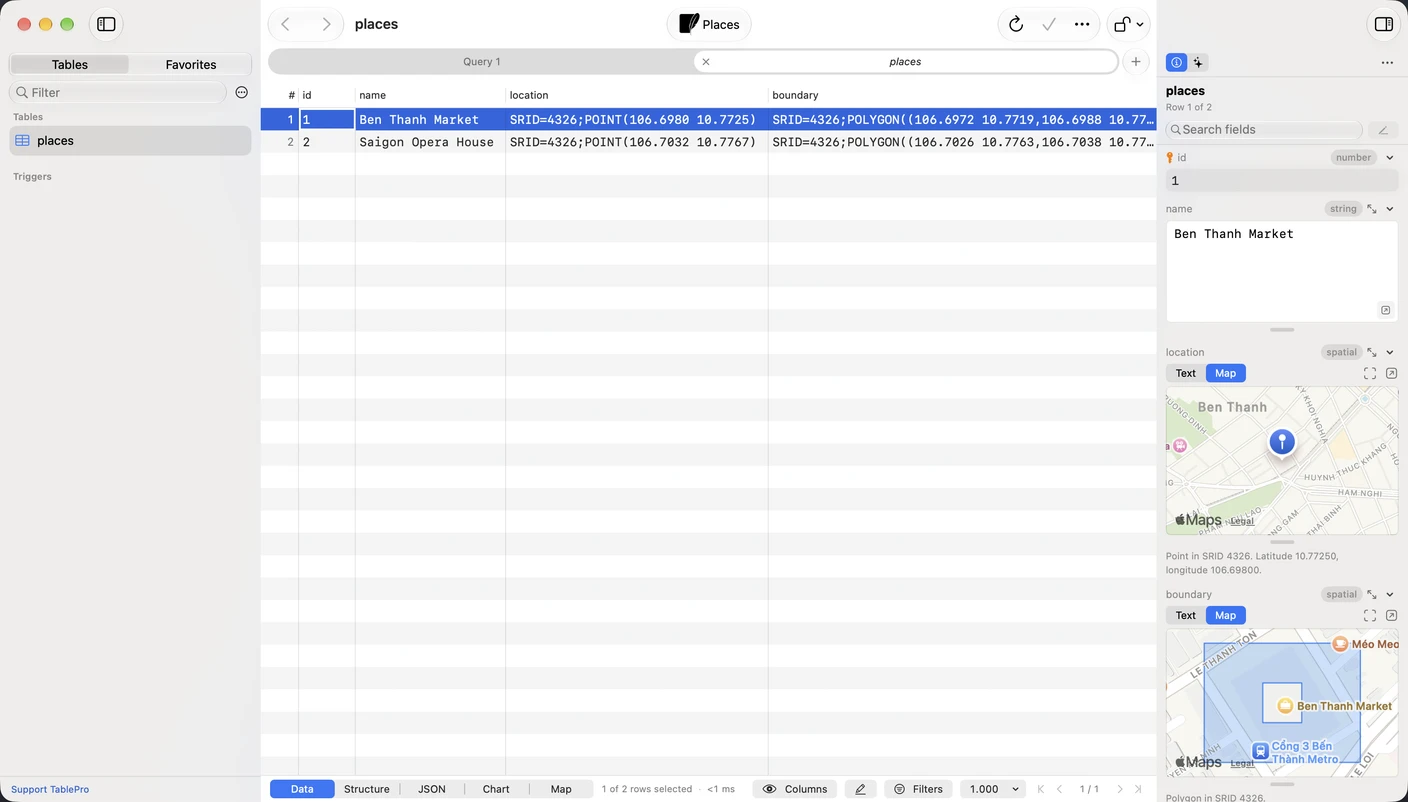
#Select a row that has a spatial column and open the inspector. The field shows the value on a map: a pin for a point, a line, or a polygon. Switch to Text to edit the WKT, GeoJSON or WKB, and the map redraws before you save. Open in Window gives you a bigger map. GeoJSON in a JSON column works the same way.
Totals for selected cells
#Select two or more cells and the status bar shows Sum, Average and Count. Click it for Minimum and Maximum, each with a copy button.
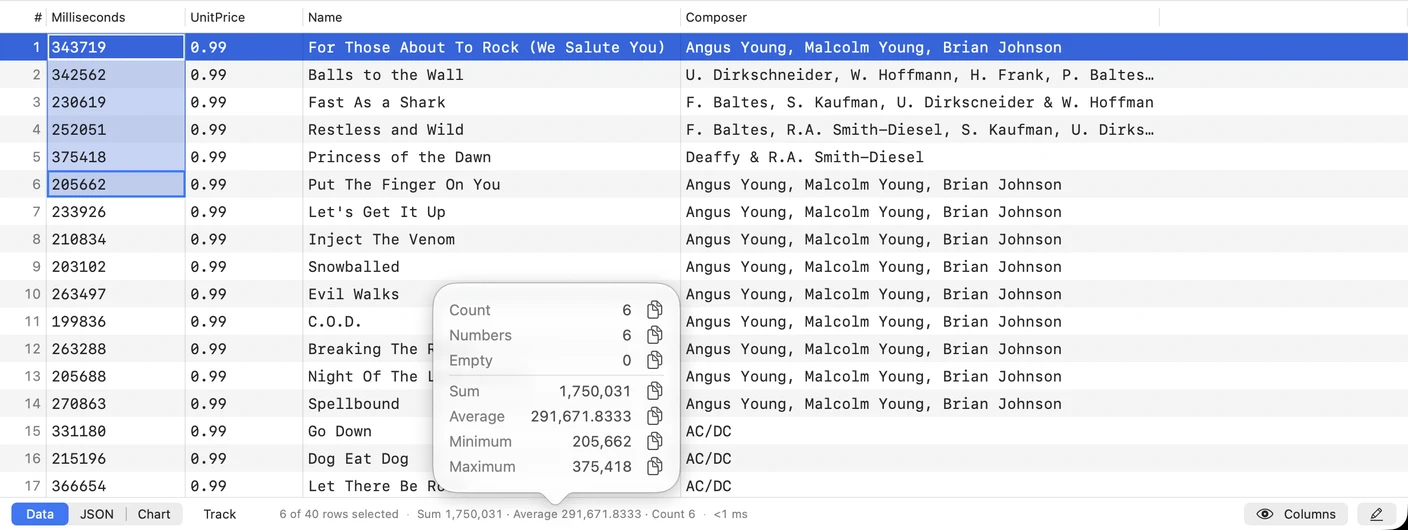
Only integer and decimal columns are summed, so a ZIP code stored as text stays out of the total. To total a whole column, right-click its header and choose Select Column.
Saved queries in connection files
#Exporting connections now includes their saved queries, with folders and keywords. Importing lists the connections, then the queries, before anything is saved.
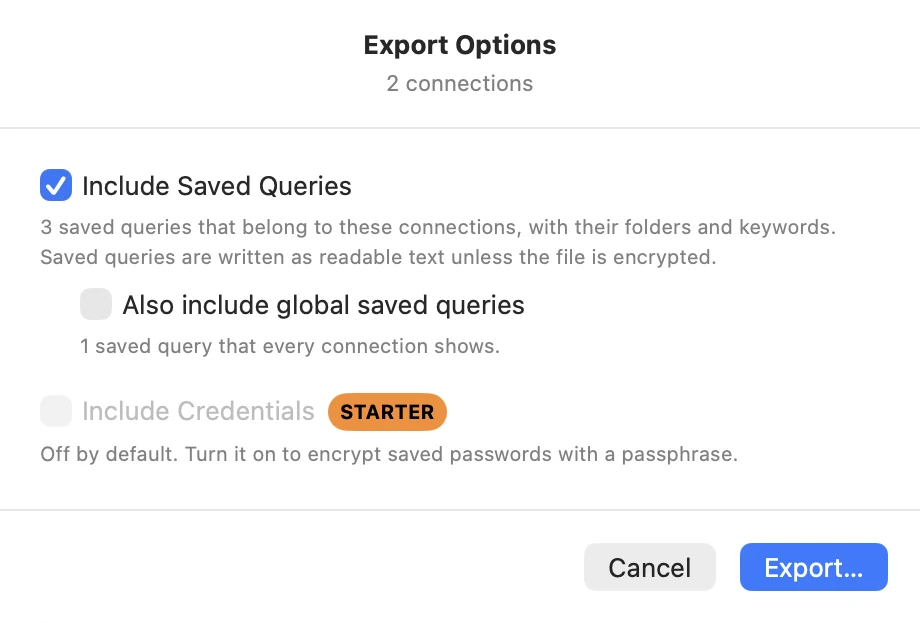
File > Import > Import from Other App… also picks up saved queries from TablePlus, Sequel Ace, DBeaver, DataGrip and Beekeeper Studio.
A file exported by 0.80 opens only in 0.80 or later. If you share connections through a Linked Folder or the Team Catalog, update every Mac first.
Custom icons
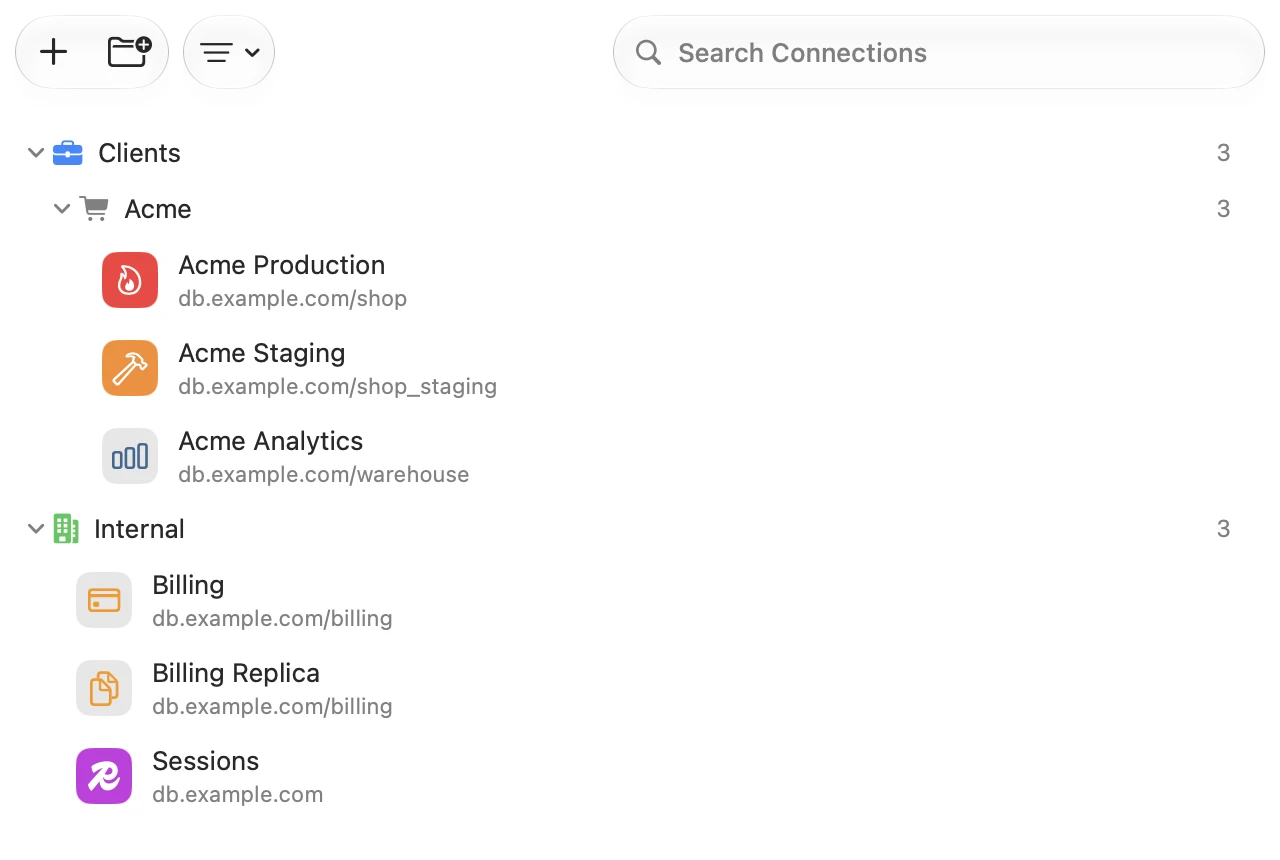
#Pick an icon for a connection on the Appearance tab of its form, and for a group in Edit Group…. Two connections to the same engine no longer look alike in the list.
Also new
#- Move Tab to Connection… (
Ctrl+Option+Cmd+C) moves a query tab to another connection. It does not run the query - View > Filter Schemas… hides the schemas you don't use from the sidebar, Open Quickly and export
- A + button at the foot of the sidebar for a new table, view, schema, database or folder
- Table comments in Create Table and Structure, and Edit Comment… on more engines
- The JSON and PHP viewers select text, open links and show color swatches
- Settings > Integrations is now Settings > MCP
Fixes worth knowing about
#- Saving or importing connections while the connection library could not be read replaced every saved connection
- Closing the only tab of a connection opened from a link or the query history deleted its saved tabs
- Picking a database in the query editor reran the statement at the cursor, writes included
- PostgreSQL was slow to connect, browse and search on a database with a long list of schemas
- SQL Server showed empty strings and binaries as NULL, and an edit to a table without a primary key reverted on save
- Duplicating a connection set to Blocked for external access made the copy readable over MCP
What it will not do
#- IAM sign-in needs a network route to the instance. It opens no tunnel, and SQL Server is not covered
GOOGLE_APPLICATION_CREDENTIALSfrom your shell profile is not read. Choose Service Account and give the key path- A socket connection cannot go through an SSH tunnel or a proxy
- The map draws longitude and latitude only. A projected SRID such as 27700 needs
ST_Transform(geom, 4326)in the query - Totals count the loaded rows, not the whole table
- The iPhone and iPad app (1.0) skips saved queries on import and does not show custom icons
Getting it
#TablePro checks for updates on its own, or choose TablePro > Check for Updates…, or download it from tablepro.app.
Installed plugins keep working. The BigQuery, Cassandra, Dameng, DuckDB, SAP HANA, MSSQL, Oracle, Snowflake, Spanner, Teradata and Trino drivers have updates in Settings > Plugins.
Related pages
Full release notes
Available for Mac, iPhone and iPad.
Download for Mac