
TablePro 0.82: Theme Editor, VS Code Themes and UUIDs
TablePro Team
On this page
TablePro 0.82 is out: 73 changes, 41 of them fixes.
Most of it is about color: twelve new built-in themes, VS Code theme import, and a Theme Editor that repaints open windows while you edit. Set Value writes UUIDs now, beta builds are one checkbox away, and registry plugins update with the app.
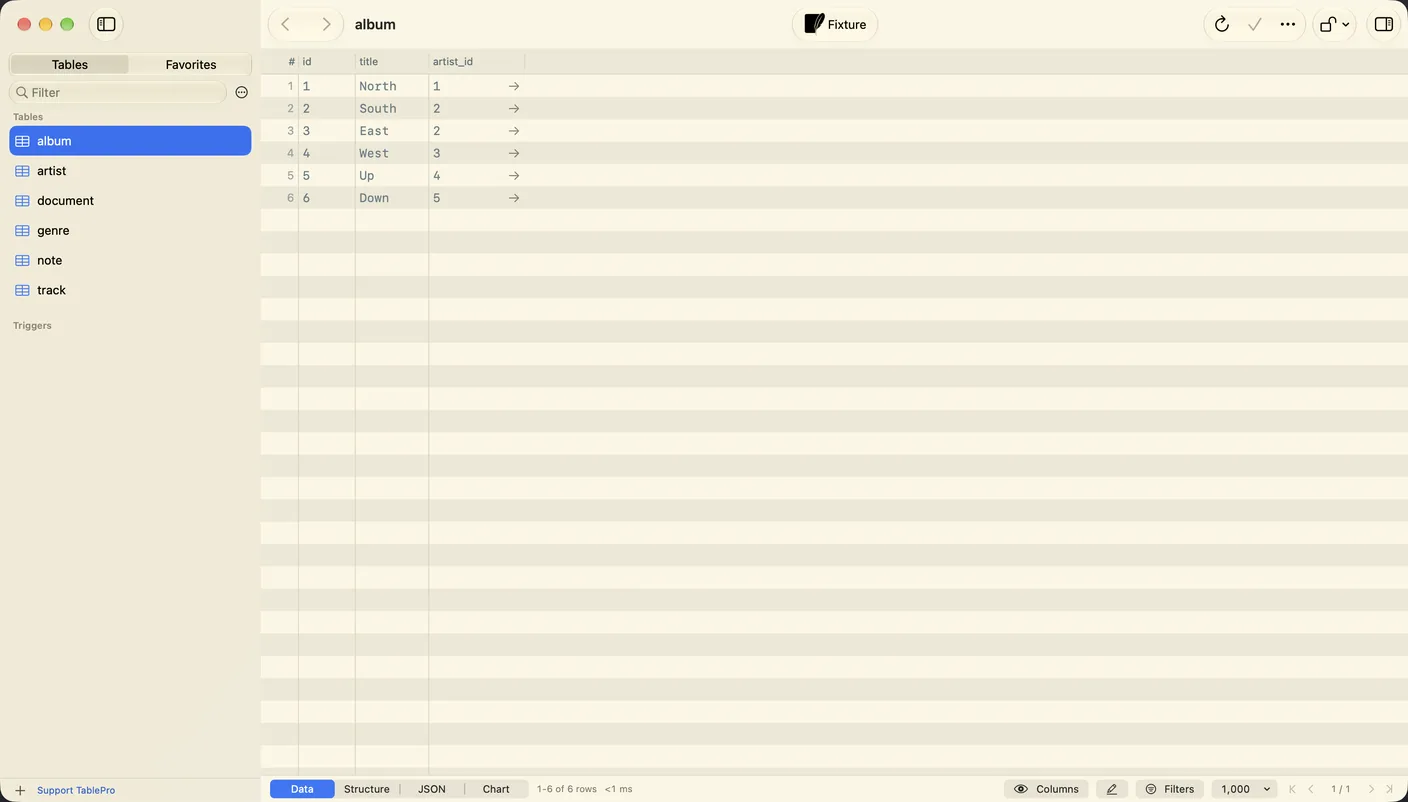
New built-in themes
#Solarized, GitHub, Catppuccin, Gruvbox and Tokyo Night each come in a light and a dark version, plus One Dark and One Light. Set one as your Light theme and its partner as your Dark theme in Settings > Appearance, and the pair follows macOS.
To bring a theme over from your editor, click + under Themes and choose Import…, or drop the VS Code theme's .json file on the list. Installed VS Code themes sit under ~/.vscode/extensions/. TablePro reads the editor colors and the token rules for SQL, and saves the result as a TablePro theme. Drag any theme to Finder to export it.
The Theme Editor
#Double-click a custom theme to open it in a window of its own. The preview at the top is the real SQL editor and data grid over sample rows, and every open window using the theme repaints as you pick a color.
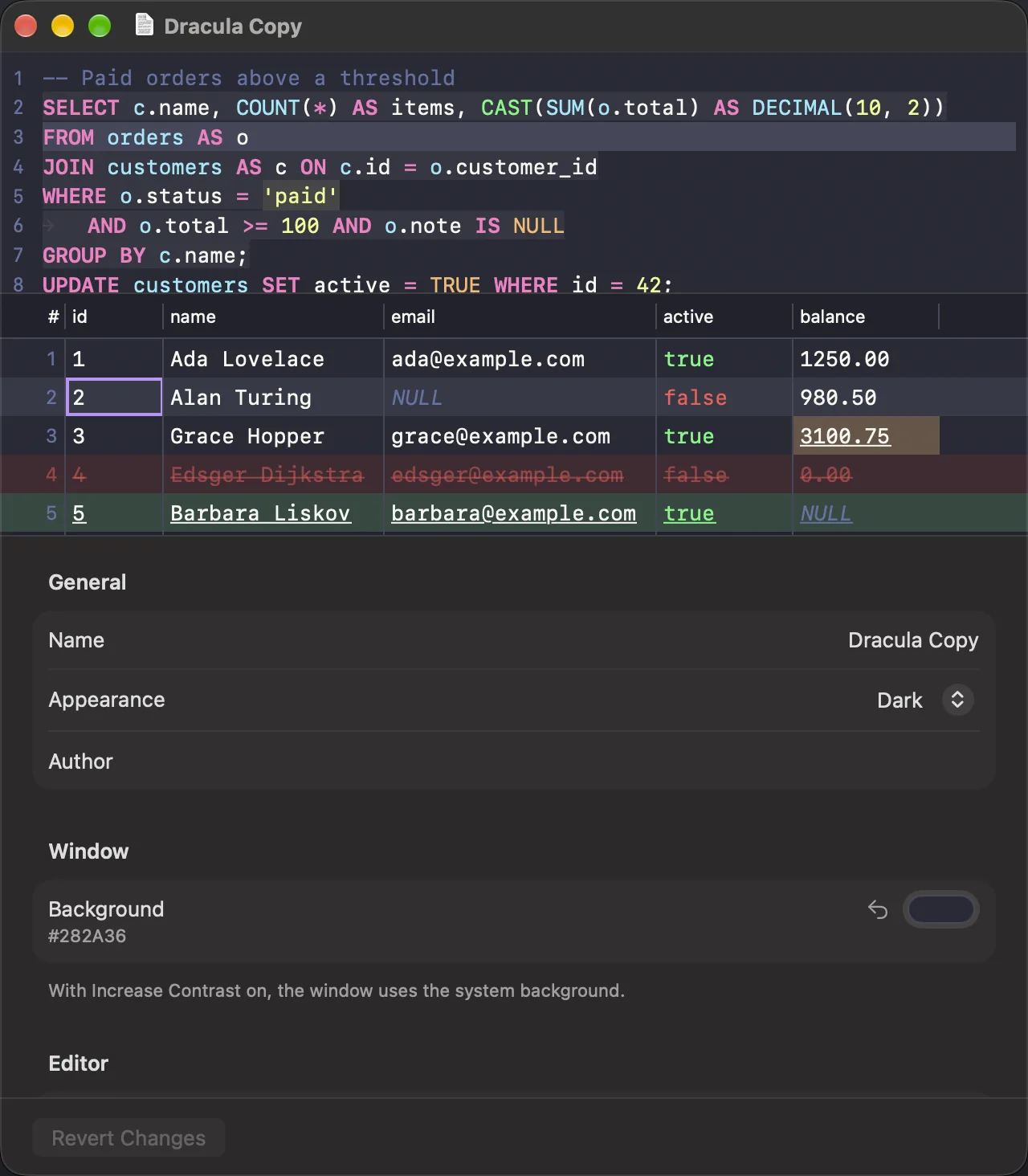
There's no Save button: edits save 0.75 seconds after you stop. Cmd+Z undoes one color at a time, and Revert Changes puts the theme back the way it was when the window opened. A built-in theme opens read-only, with a Duplicate button for an editable copy. When text on the editor or grid background falls below 4.5:1 contrast, a note says so.
Custom themes and your Light and Dark theme choices sync over iCloud with Settings on in Settings > Sync. iCloud Sync needs a license, and both tiers include it. Appearance itself no longer syncs. System, Light or Dark is set per Mac, and a Mac on an older version that syncs settings switches to System.
UUIDs from Set Value
#Filling a uuid primary key that has no server default used to mean writing SQL. Now right-click the cell and choose Set Value > Generate UUID, or Generate UUIDv7 for values ordered by creation time. Select 50 cells first and you get 50 different UUIDs. Add Row, Duplicate Row and Paste fill such a key on their own.
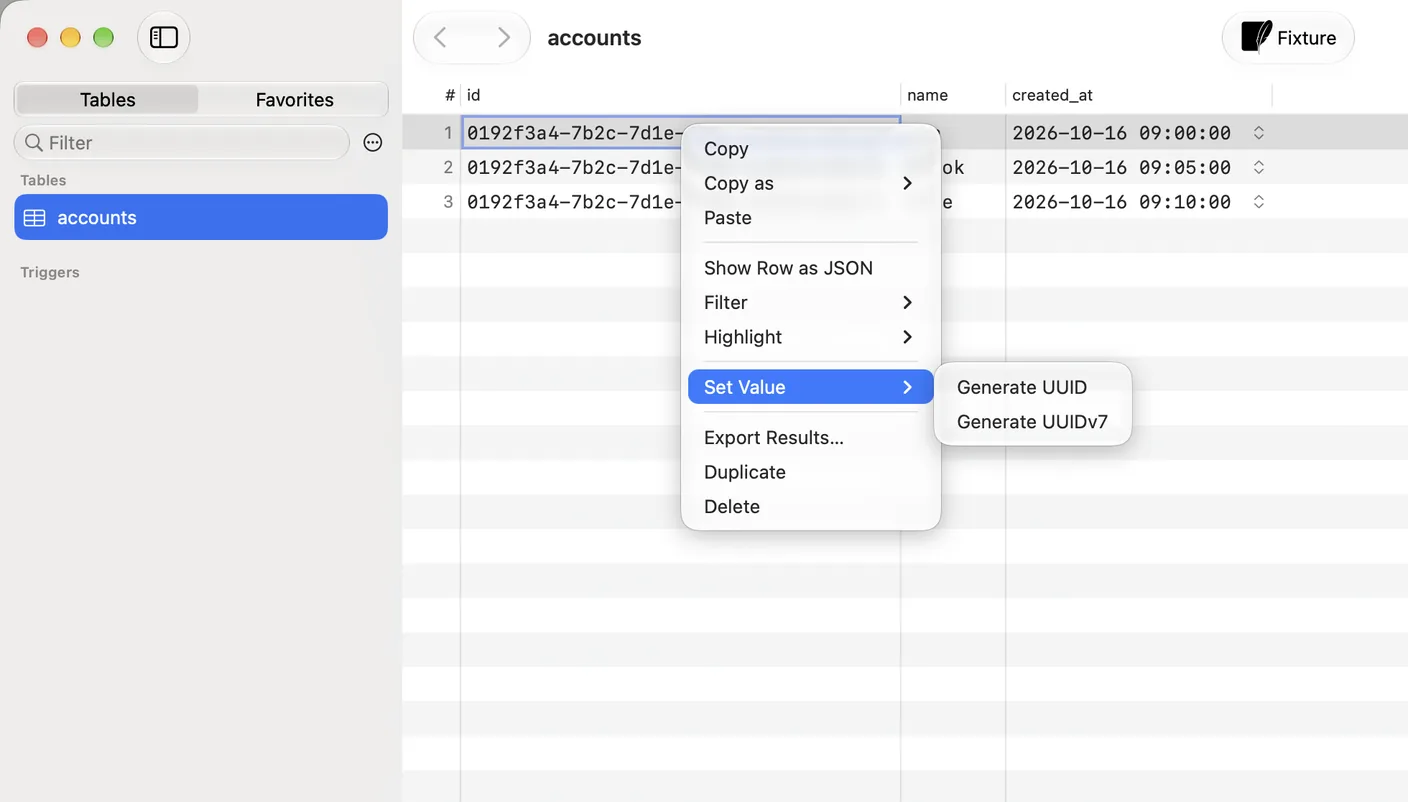
Set Value applies to every selected cell, or to the clicked column across the selected rows. It's also in the menu bar as Edit > Set Value, and Settings > Keyboard can give each item a shortcut. The row inspector and Fill Column offer both generators too.
Text you type into a column that isn't a date or time is saved as typed. now() in a varchar column used to go out as the function.
Plugins update with the app
#Registry plugins lost their Update button. After TablePro updates, it fetches each registry plugin with an older build than the app. One that's already loaded swaps in at the next launch, and its row in Settings > Plugins reads "Updates when TablePro restarts" until then.
The com.TablePro.customRegistryURL setting for a custom plugin registry is gone.
Also new
#- Get beta updates in Settings > General offers each version as a beta before its stable release. Turn it off and the beta stays until a stable release passes it. Every update now comes from a signed feed at
updates.tablepro.app - Drag the line beside the connections strip to widen it, up to 240 pt, and read long connection and database names
- Server Dashboard sessions and slow queries are data grids, with Cancel Query and Terminate Session in the header. The confirmation names the session's process ID and user
- SQL previews in history, filters, maintenance and review sheets are highlighted like the editor, in the editor font
- Registry drivers such as Oracle, SQL Server and MongoDB load on first use instead of at launch
Fixes worth knowing about
#- On ClickHouse 23.8.0 to 23.8.8, every query after connecting failed with
UNKNOWN_SETTING. Users with a read-only profile couldn't connect, and servers before 22.3 didn't load indexes, view definitions or functions - A ClickHouse query with a
FORMATclause showed garbled rows in the grid and in exports - Stored text such as
CURRENT_DATEturned into today's date on Duplicate Row or Restore Previous Values - SQL functions such as SQLite's
datetime('now')and ClickHouse'stoday()were saved as quoted text - The Welcome window gave no warning on a connection whose driver plugin had failed to load or was out of date
What it will not do
#- A VS Code import drops
fontStyle, so italic comments come in plain, and ignores semantic token colors. VS Code's own interface colors, such as the activity bar and tabs, have no place to go - Themes color content. Controls, Settings, sheets and popovers keep the system look
- A foreign key column and a Cassandra
timeuuidcolumn get no Generate UUID - Solarized Light's text sits at 4.1:1 on its background, under the 4.5:1 the Theme Editor asks for
Getting it
#TablePro checks for updates on its own, or choose TablePro > Check for Updates…, or download it from tablepro.app.
If you use SAP HANA, update: plugin versions 1.0.0 to 1.0.3 shipped a helper built with Go 1.27.1, without the crypto/tls fix for GO-2026-6607. The plugin updates with TablePro.
Related pages
Full release notes
Available for Mac, iPhone and iPad.
Download for Mac