
TablePro 0.67: Charts, Code Folding, and Statement-Level Runs
TablePro Team
On this page
TablePro 0.67 is out: 200 changes, 144 of them fixes.
Almost all of it lands in two places, the SQL editor and the results pane.
Charts
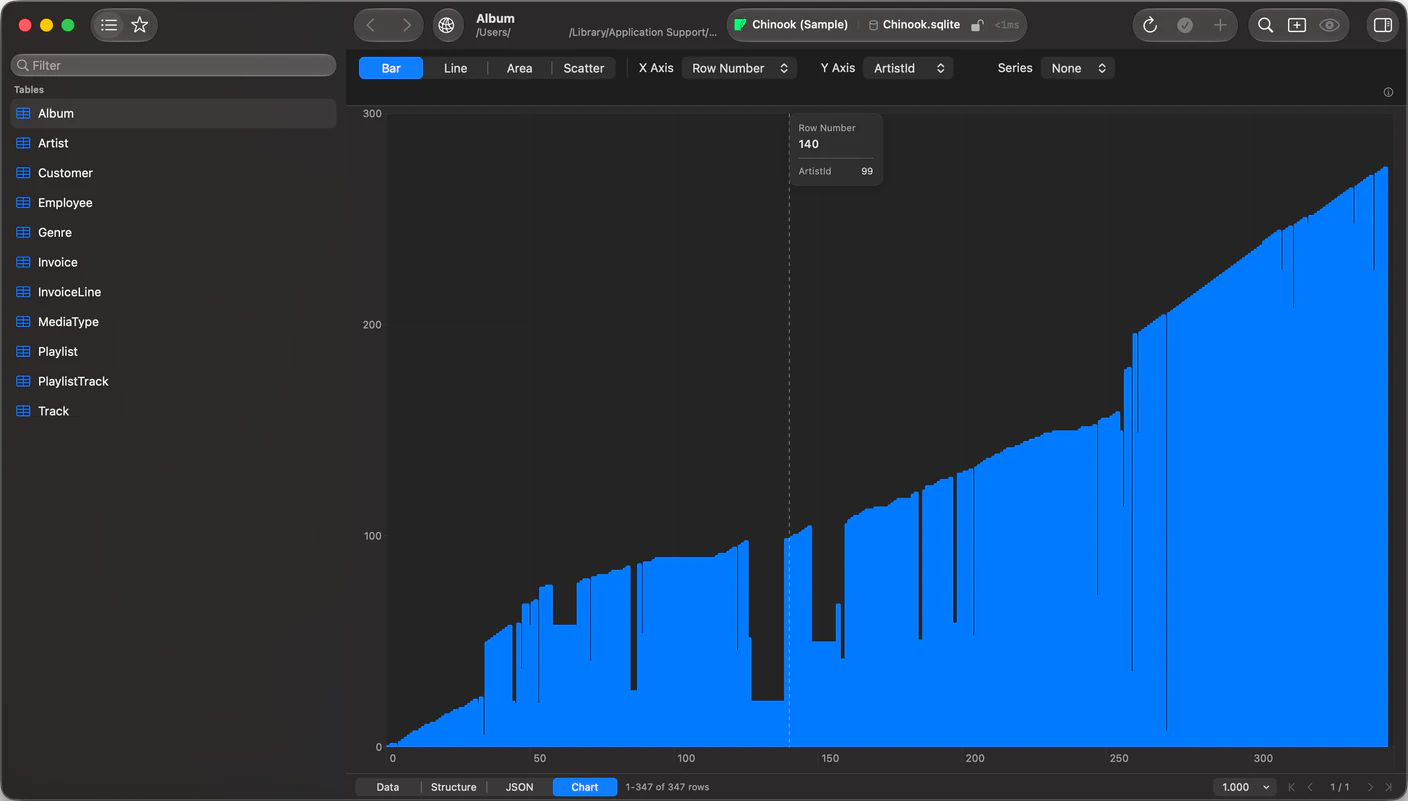
#Results draw as bar, line, area and scatter charts without leaving the tab. Pick a numeric Y column. X can be row numbers, another numeric column, a date, or a category, and a text, boolean, enum or set column splits the result into series.
Date columns plot on a real time axis. A three-month gap looks like three months. Hover the plot for the exact values behind a point.
Chart type and axes belong to the tab and follow the column names, so they survive a page turn, a sort and a re-run.
The ceiling is 2,000 points, 20 series, 50,000 rows inspected. Past any of them the chart draws what fits and says so: "Showing the first 2,000 points of 8,431 loaded rows."
Needs a license. Both tiers include it.
The editor folds
#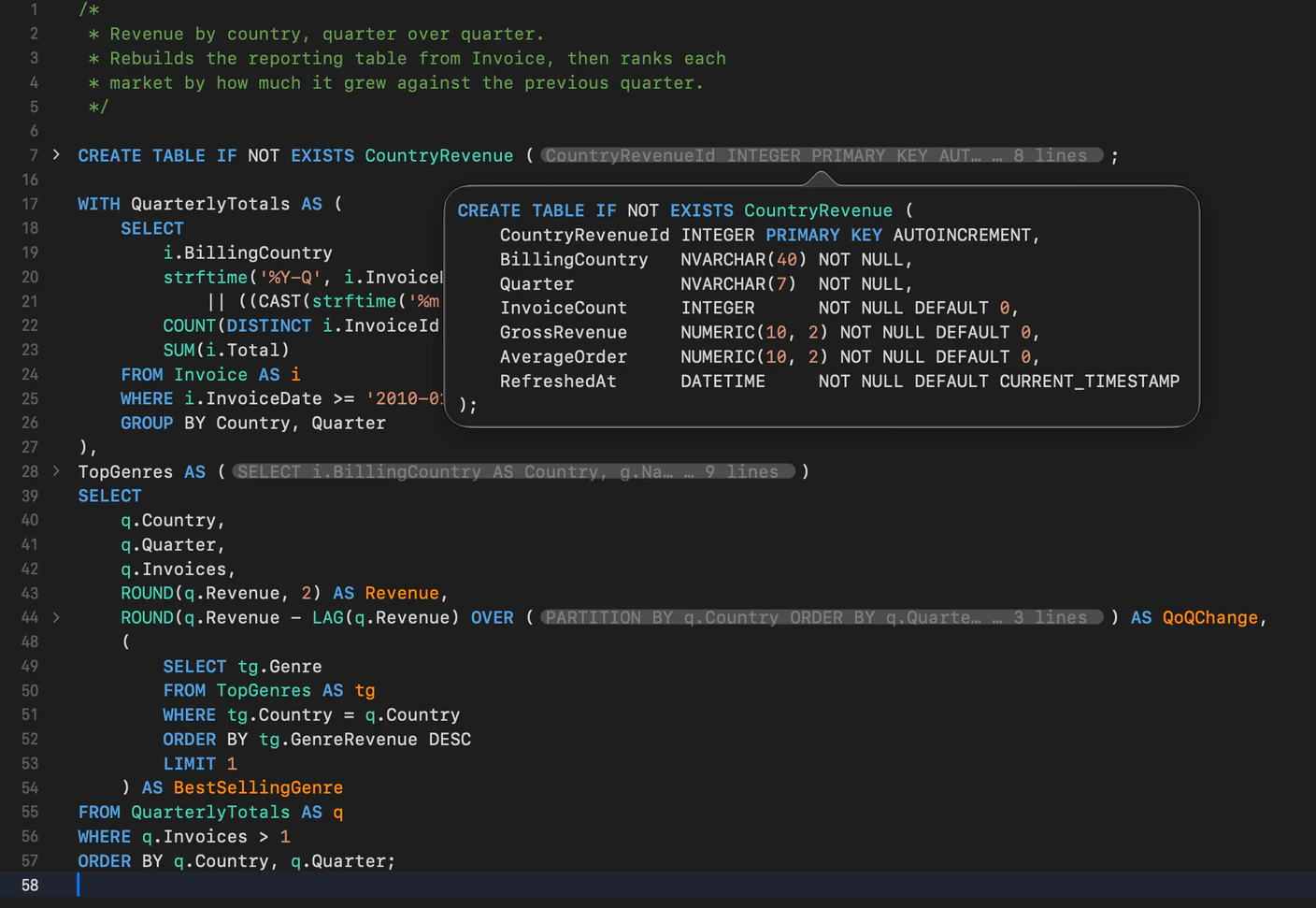
Chevrons in the gutter collapse statements, table bodies, CTEs, subqueries, BEGIN blocks and block comments.
A folded region becomes a chip naming its opening line and how many lines it hides. Hover the chip and you get the whole block, syntax highlighted, without expanding it.
Folds survive closing and reopening a tab. Strings, comments and PostgreSQL dollar-quoted bodies are never read as structure, so a ( inside a string doesn't open one.
Cmd+Option+Left toggles a fold, Cmd+Option+Shift+Left folds everything. It works in the DDL and trigger views, the SQL import preview, the AI review sheet and the JSON cell viewer too.
Run one statement at a time
#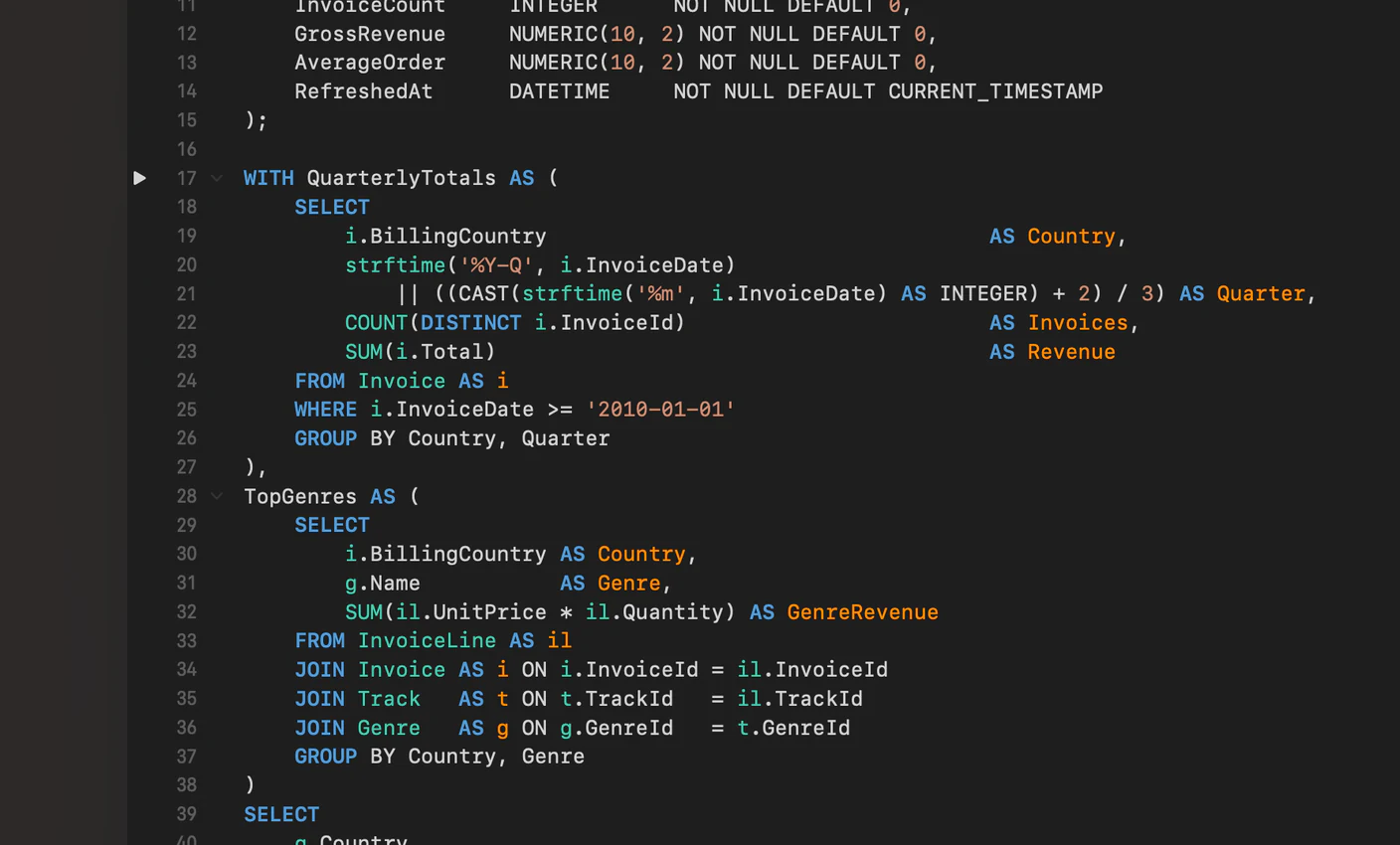
Hover the gutter and a run button appears beside the statement you are pointing at. Click it and that statement runs on its own, wherever the cursor happens to be, under the same Safe Mode checks and parameter prompts as any other run.
The statement your cursor is in also gets a faint background, so you can see what Cmd+Enter will send before you press it.
Ctrl+Cmd+Enter runs the statement you're in and moves to the next. Ctrl+Cmd+Left and Ctrl+Cmd+Right step between them without running anything.
Results are named after the statement that produced them instead of "Result 1", and clicking a result jumps the cursor back to its statement.
BEGIN ... END bodies also run whole now. The editor used to split them at every semicolon inside, so Execute All sent a fragment and the database rejected it. Importing the same file always worked, which is why this took so long to pin down.
Cmd+F searches your results
#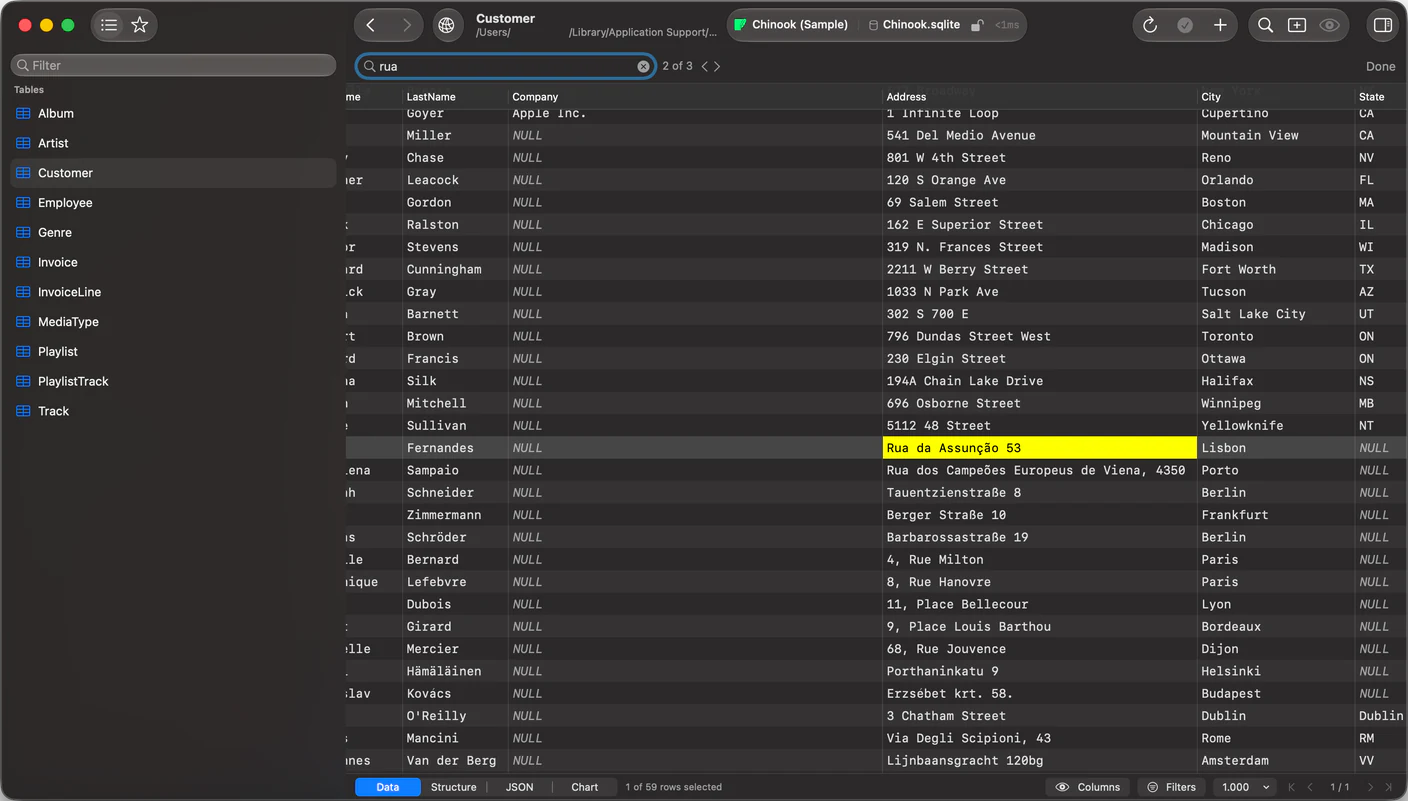
Type, and the matching cell is highlighted and scrolled to. Case and accent insensitive.
A grid is paginated at the database, so the counter says which it means:
| Counter | Means |
|---|---|
3 of 12 |
Every row is loaded. This is the whole table |
3 of 12 on this page |
More rows exist that were never fetched |
Not on this page |
Nothing loaded matches, and more rows exist |
When the page comes up empty and rows remain, Search All Rows turns the term into a server-side filter.
One thing to know if you're upgrading: Cmd+F used to toggle the filter panel. The panel keeps Cmd+Option+F.
MongoDB filters reach inside a document
#Filter on customer.country or items.sku. The paths come from the collection rather than your memory, and each one carries the type TablePro found for it, so a date, ObjectId or decimal is compared as itself instead of as text.
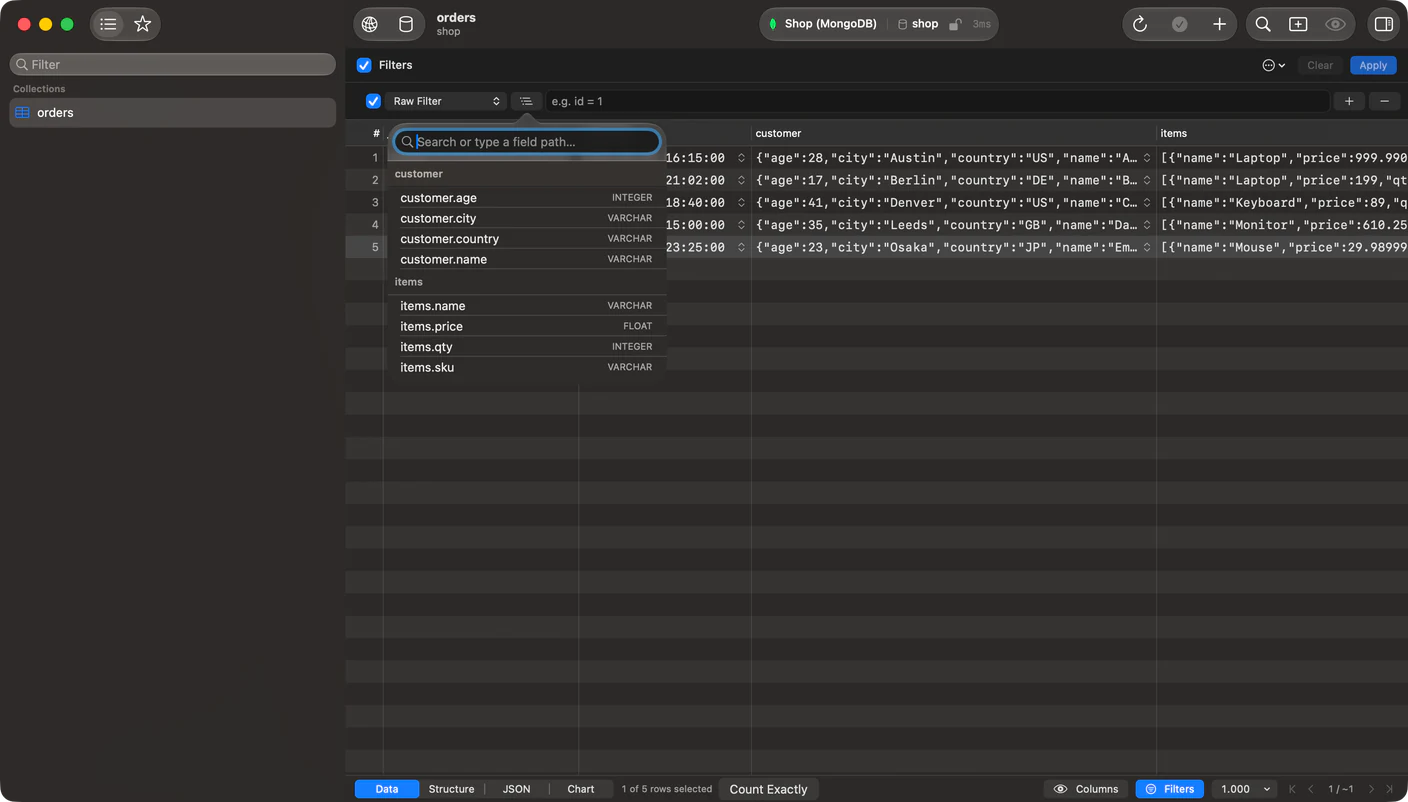
A field inside an array gets a scope control.
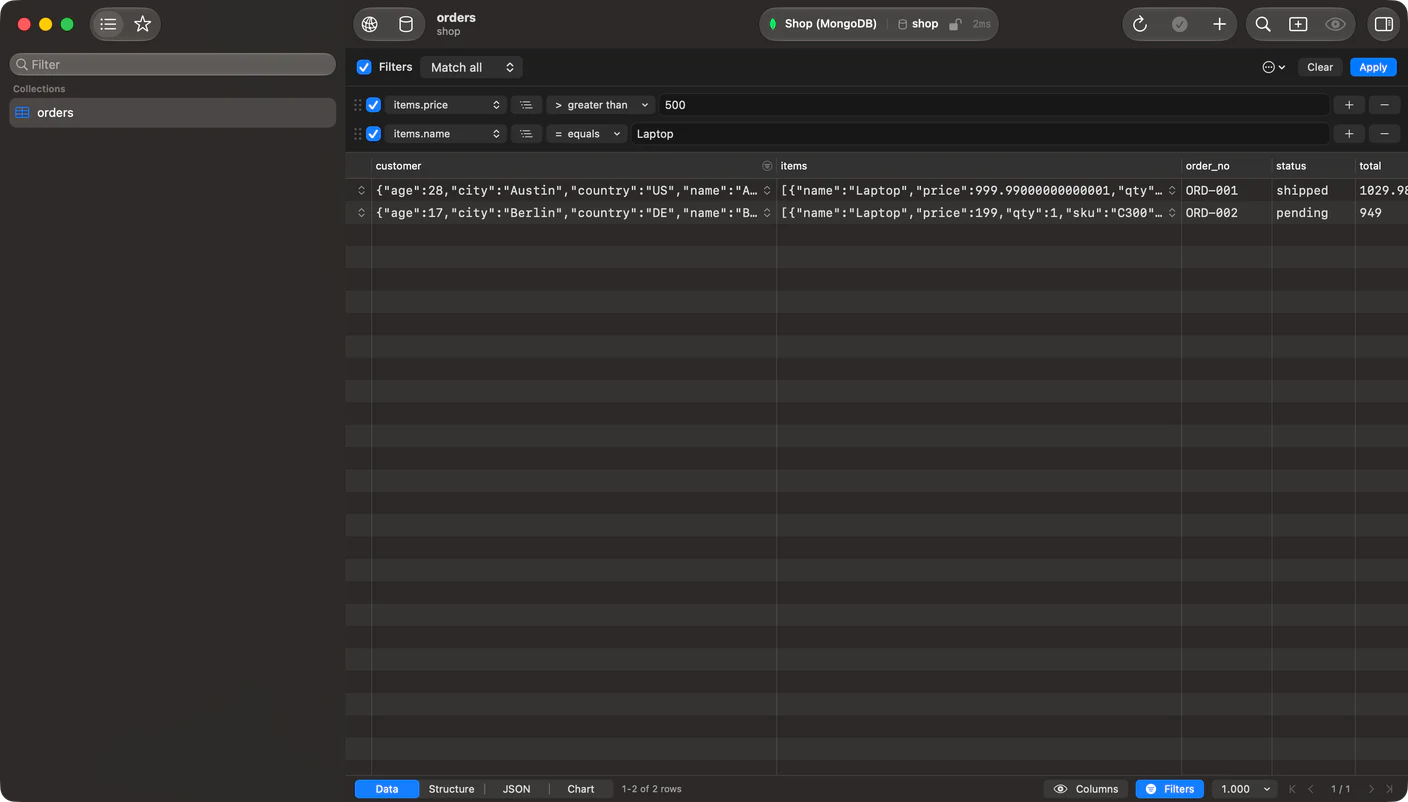
Any element lets each condition match a different entry. Same element makes them all match one. That is the difference between "an item over $500 and an item named Laptop" and "one item that is both", and it is the query people usually open an aggregation pipeline to write.
Also new
#- Closing a tab holding unsaved cell edits, staged structure changes or a modified
.sqlfile asks first. Cell edits used to disappear with nothing to recover them, not even Reopen Closed Tab. - Editing a cell in a result you clicked back to writes to that result's own table. It used to write to whichever statement finished last, silently.
- Redis Sentinel and Redis Cluster, as Connection Modes in the form. Cluster routes each command to the shard owning its key and follows MOVED and ASK redirects.
- DuckDB opens a Parquet, CSV, TSV, JSON or NDJSON file read-only, no
.duckdbdatabase required. - MCP grew from 19 tools to 46, with prompt templates built from the live schema and completion that returns your real table names.
- A read-only MCP token can no longer run a
DOblock,COPY,ATTACHorVACUUM INTO. Anything unrecognised now counts as a write.
Breaking: MCP remote access is gone. The server binds to this Mac only. Its certificate named only localhost, so no other machine could ever have verified it.
What's still missing
#The find bar searches loaded rows, not the table. Search All Rows covers that, but only when you have no filters set, because it replaces them with your term.
Charts draw loaded rows too. Nothing aggregates behind them, so a chart over a 10 million row table is a chart over the page you loaded.
Getting it
#TablePro > Check for Updates, or download it.
On MongoDB, DuckDB, Oracle or Dameng, update those plugins as well. Registry plugins are notarized as of this release, which clears the Gatekeeper error that read like a database TablePro couldn't reach.
The full changelog has all 200 entries.
Available for Mac, iPhone and iPad.
Download for Mac