TablePro 0.76 is out: 592 changes, 450 of them fixes.
The new work is Agent mode, a window for data files, and MongoDB documents you edit whole. Most of the fixes land in MongoDB, SQL Server, Redis and DynamoDB, and in how Safe Mode decides where a statement ends.
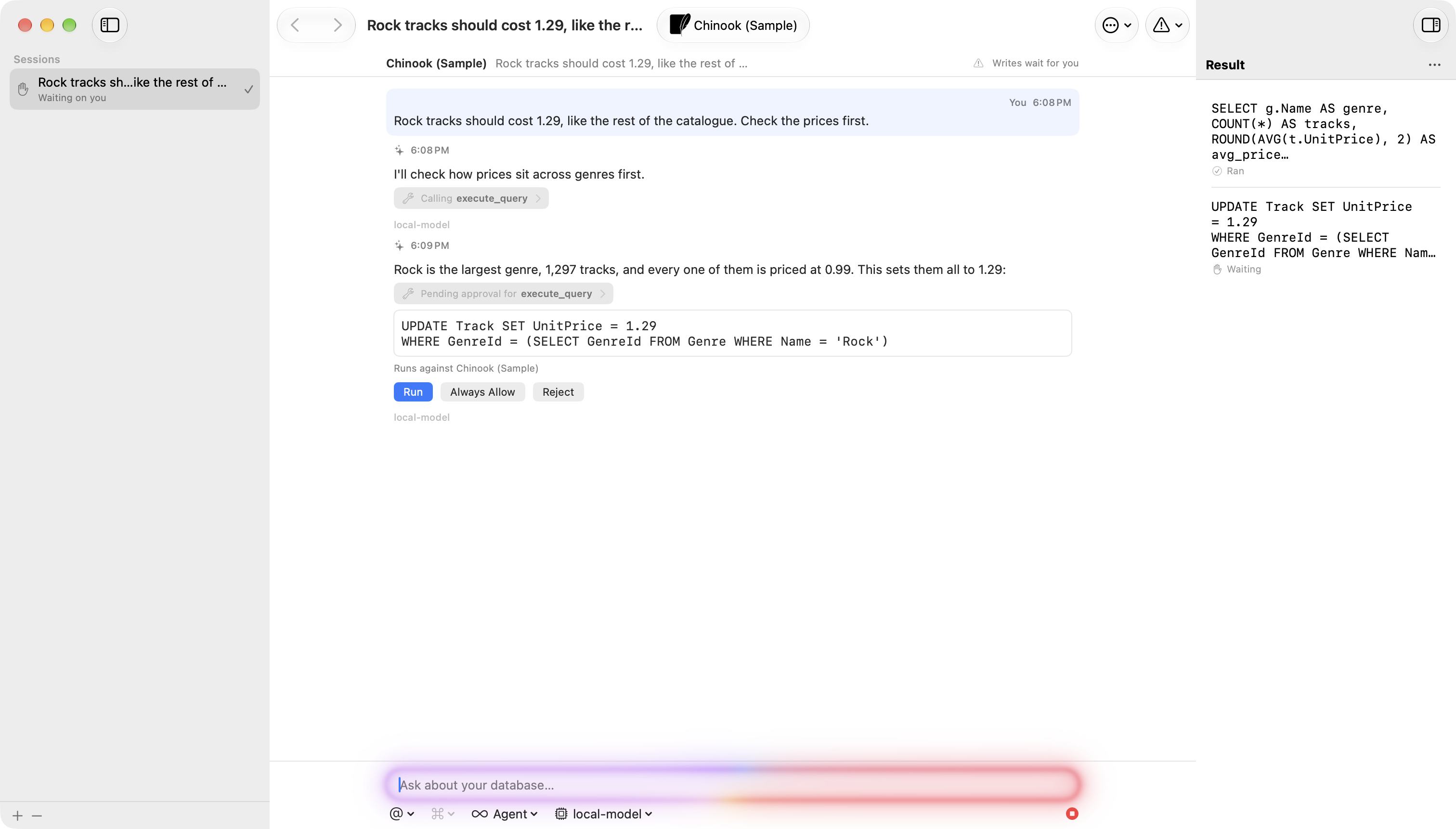
One session, the whole window
The chat in the inspector is for a question. Agent mode is for a job. Press Cmd+Option+Shift+A, or choose View > Mode, and the window's three columns become the sessions on this connection, the conversation, and what that session proposed and ran. Browse in the same place brings back your tabs, the grid's scroll position and the editor's undo stack.
A session belongs to one connection and keeps its transcript when you close it. Each row says what it is doing: Working, Waiting on you, Queued or Ready. The result column lists every statement the session proposed with what became of it, or shows the rows it read in the data grid.
While the mode is on, the connection is held at Safe Mode Alert, so every INSERT, UPDATE and DELETE waits on its card for Run or Reject. Leave the mode and the level you set comes back. To start in it, right-click a connection in the welcome window and choose Open in Agent Mode.
Agent mode and the next section are the work of @J2TeamNNL.
Tools from your own MCP servers
TablePro has been an MCP server for other apps. Now it can call one. Add a server you run in Settings > Integrations, tick the connections it may reach, and a session can ask it for a ticket or a runbook in the same turn it writes SQL.
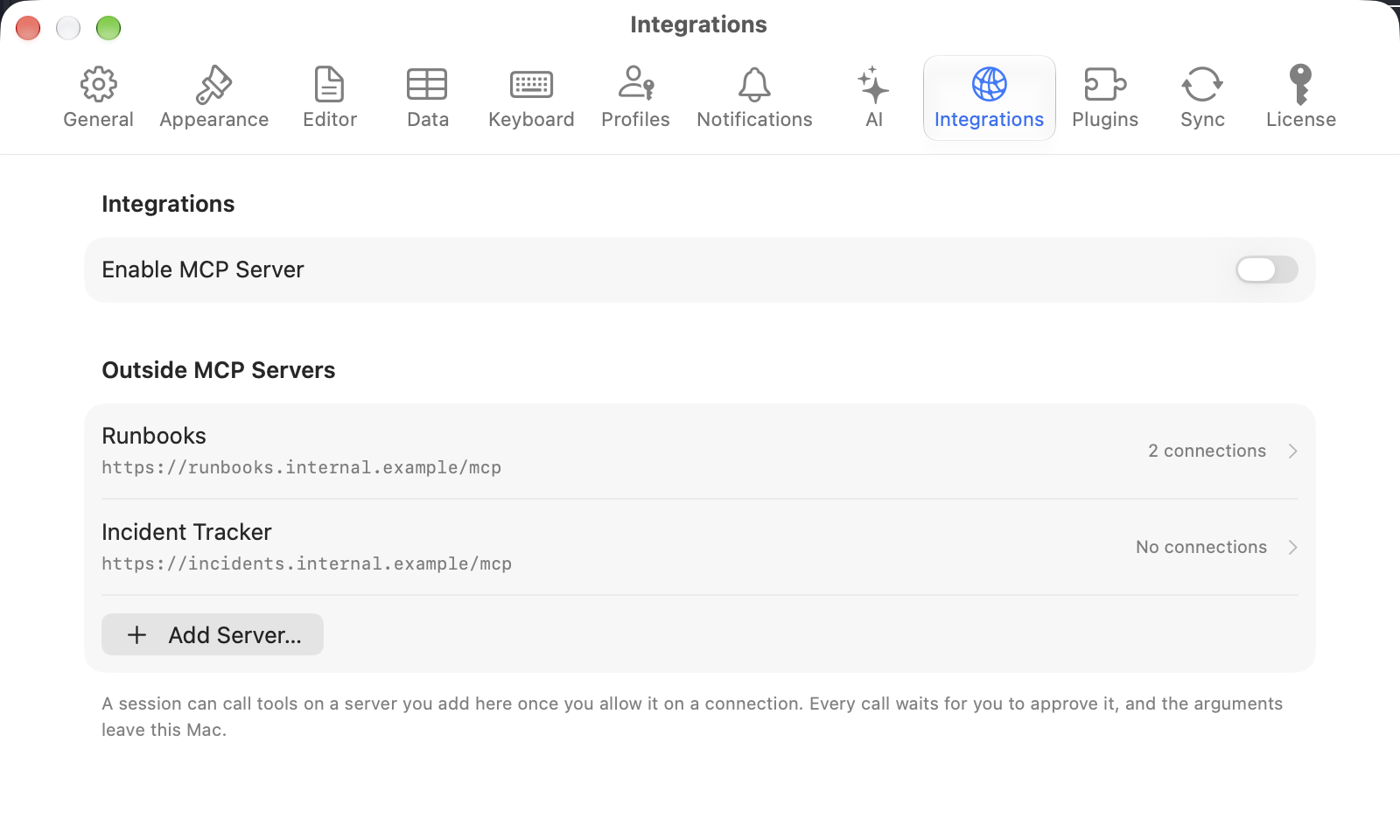
Every call waits for you, whatever the server says about its own tools, and Always Allow does not cover them. The address has to be HTTPS unless the server runs on this Mac, and the token stays in this Mac's Keychain.
Data files open as tables
Double-click a CSV and it opens in its own window as a table, with the grid's filter bar, a search across every column, and Find & Replace over the whole file. TSV, pipe-separated, .txt and .dat files open the same way. JSON and JSON Lines open and edit as a table, and Excel workbooks and .csv.gz files open read-only.
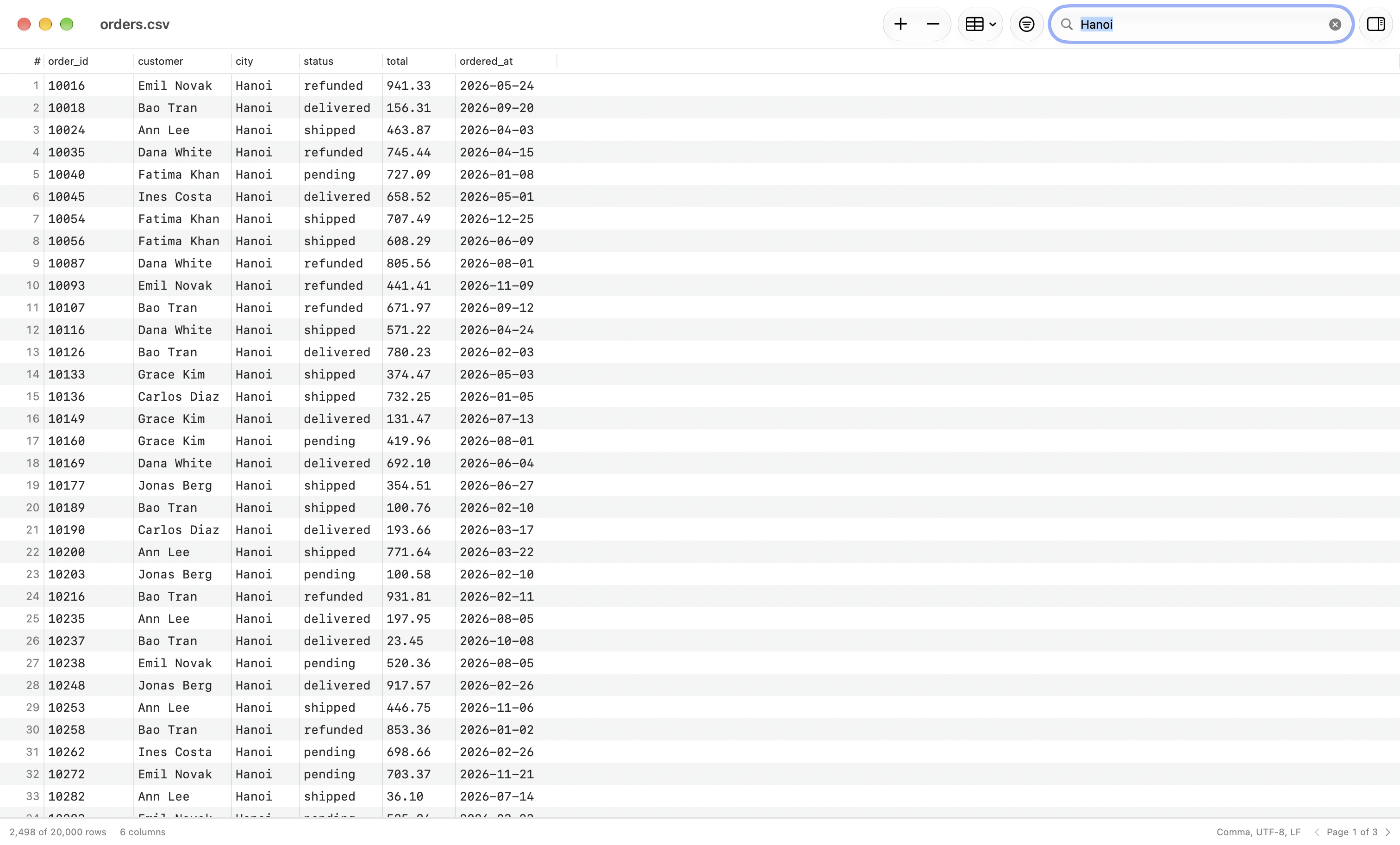
The file is not read into memory. On a 12-core Apple silicon Mac, a 1 GB CSV of 6.9 million rows opens in about 0.4 seconds and filters in about 0.3. Edit > Data holds Fill Down, Trim Whitespace, Change Case and Remove Duplicate Rows, clicking a top value in a column's statistics filters the file, and Import into Table hands the rows to an open connection.
MongoDB documents, whole
A cell edits one value. To add, rename or remove fields, select a row and choose Edit > Edit Document…. The sheet reads the document from the server again and saves your text as a whole-document replace, in the order you wrote it. If someone changed the document after the sheet opened, nothing is saved and the sheet says so. Insert Document… takes a new one the same way.
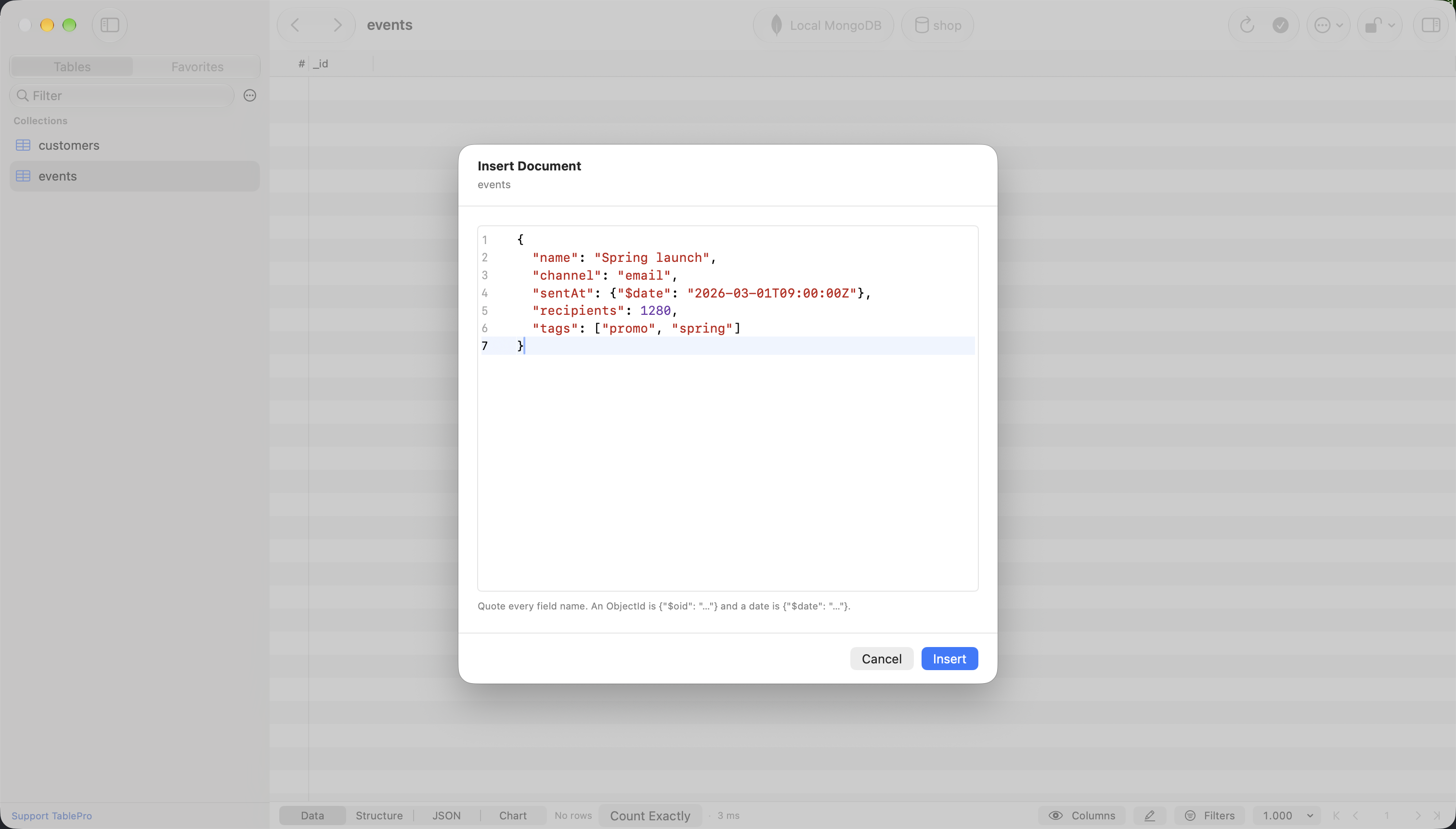
Remove Field removes a field from a cell, and Set NULL stores null instead of deleting the field. The Structure tab renames or removes a field across a collection, carries the validator along, and refuses a change that would break an index or a view.
Also new
- DynamoDB, rewritten: reads that query the table or an index when the filters allow it, a Create Table form, requests such as
CreateTable {…}in the editor, and global secondary indexes from the Structure tab - iPad: the table list beside the table browser. iPhone and iPad also get a first-run sheet and a sample database
- Review with AI from the editor bar, the Query menu and the
/reviewcommand - Saved queries keep a version history, and files in a linked SQL folder show their Git status
- SQLite extensions such as sqlite-vec and SpatiaLite, loaded on connect
Control+Tabgoes back to the tab you used last- SQL Server
GObatches, a result tab per result set, andPRINToutput - Show recent connections in Settings > General, from @shuvroroy
Fixes worth knowing about
- MongoDB statements that failed, including writes the server rejected, reported success with an empty result, and the connection's Write Concern was ignored by every write but inserts
- Saved queries and folders could be deleted at launch when their connection had not arrived from iCloud yet
- SQL Server connections set to Required (skip verify) were not encrypted past the login
- Inline suggestions sent the query to the AI provider on connections set to Never
- A statement hidden behind a backslash, a nested comment, a bracketed identifier or dollar quotes skipped Safe Mode, on Mac, iPhone and iPad
- A structure change reloaded every window's front tab and asked to discard its edits, while other tabs kept the old columns
What it will not do
Excel workbooks and compressed files are read-only. Save a sheet as CSV to edit it. .parquet files still open as a DuckDB connection.
Outside MCP servers speak Streamable HTTP only, so a server that runs as a child process cannot be added.
A MongoDB field rename checks indexes, views and the validator in the same database only, and does not lock the collection. Other databases and your application code keep the old name.
Agent mode's Safe Mode floor is one keystroke from off, so treat it as a reminder, not a lock. The connection's AI Policy and its own Safe Mode level are what hold the assistant.
Getting it
TablePro checks for updates on its own, or choose TablePro > Check for Updates…, or download it from tablepro.app. This update goes to everyone at once rather than over 36 hours, because of the fixes above.
Plugin ABI 33 is additive, so installed plugins keep working. Reinstall your drivers from Settings > Plugins for their fixes, MSSQL first.