
TablePro 0.72: Backups Through Your Database's Own Tools
TablePro Team
On this page
TablePro 0.72 is out: 73 changes, 42 of them fixes.
Nearly all of it lands in one place: getting data out of a database, and back in.
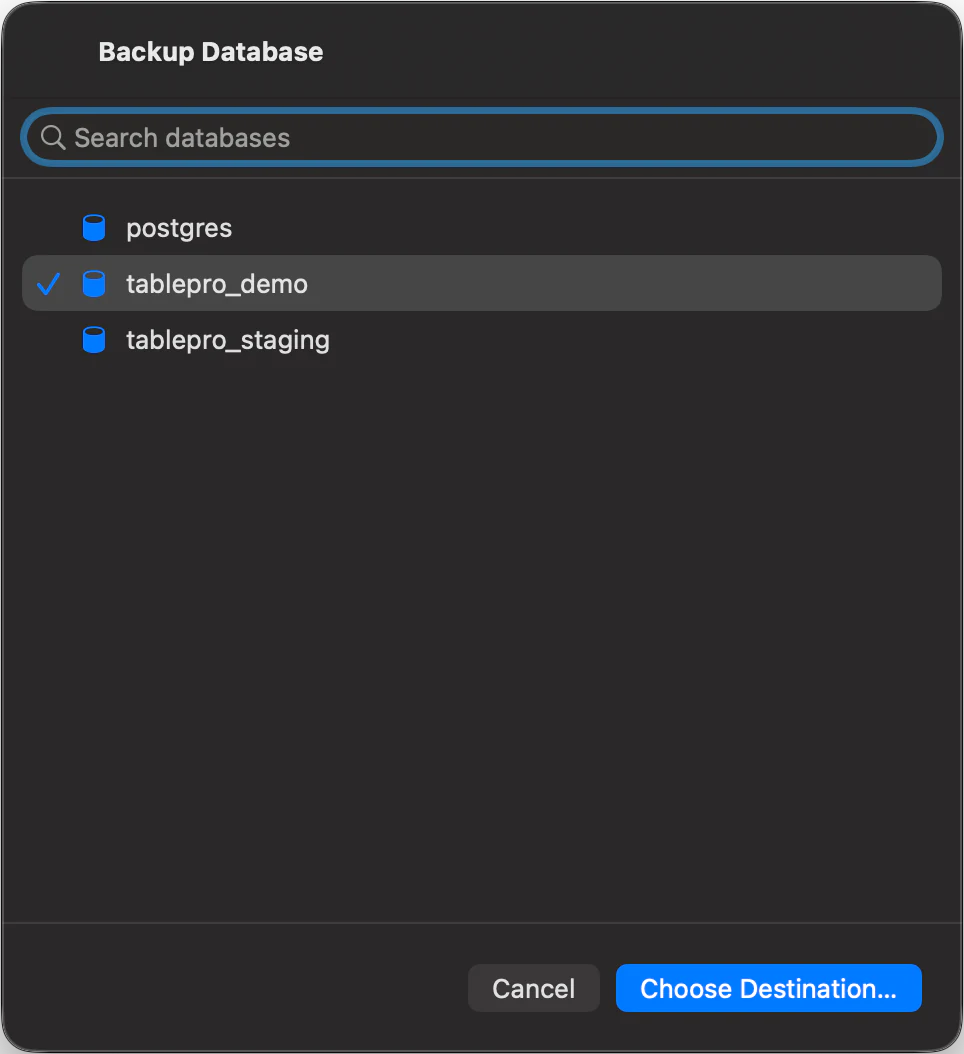
Backups through the engine's own tools
#A client that writes its own dump format hands you a file only that client can read. File > Backup Dump… runs the tool your database already ships with, so what lands on disk is the artifact your CI, your DBA and your psql prompt already understand.
TablePro drives pg_dump and pg_restore on PostgreSQL and Redshift, mysqldump or mariadb-dump on MySQL and MariaDB, mongodump and mongorestore on MongoDB, sqlite3 on SQLite and libSQL, and sqlpackage on SQL Server. File > Restore Dump… reads them back.
The tools are not bundled. TablePro resolves the binary before it starts, and when it is missing it names the one it wanted and how to install it, instead of surfacing an exit code. Restore Dump overwrites a database, so it asks first, and a restore that fails partway says so rather than leaving you to guess what made it in.
The export tree grew past tables and views
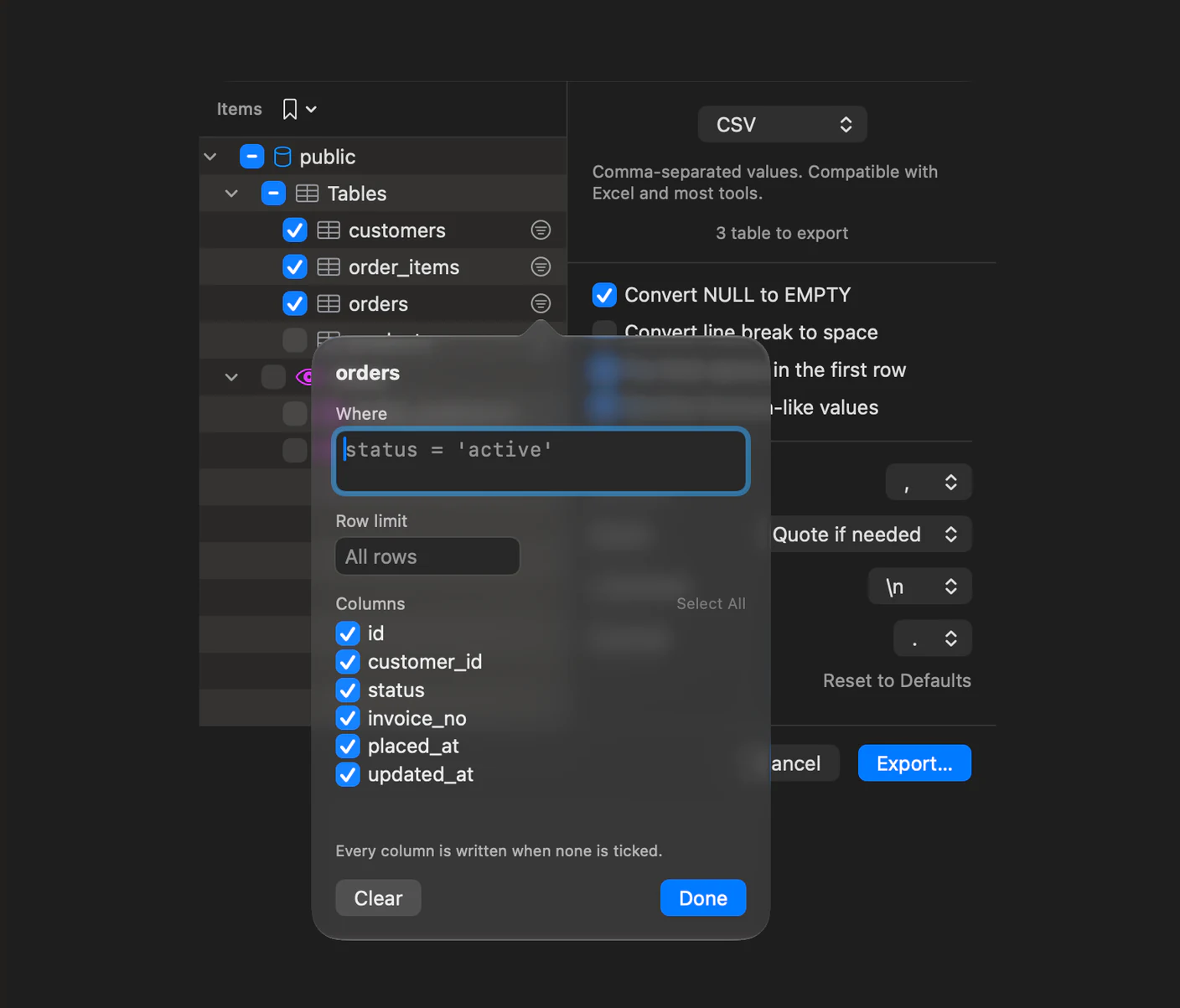
#Export used to mean tables and views, in one list. The tree now groups objects by kind and adds routines, triggers, user-defined types, privileges, MySQL events and PostgreSQL sequences, each one a checkbox.
Each table can also carry its own WHERE, its own row limit and its own column subset. A 40-table schema can go out as every small table in full plus yesterday's rows from the big one.
SQL exports gained the options that make a dump reloadable: skip, replace or update rows that already exist, split the output into numbered parts at a size you choose, and read every table at one snapshot so the file is internally consistent. Tables are ordered so a parent is written before its children, and when a foreign key cycle makes that impossible the summary names the tables it could not place instead of writing a file that fails halfway through loading.
A selection you keep reaching for saves from the tree's bookmark menu.
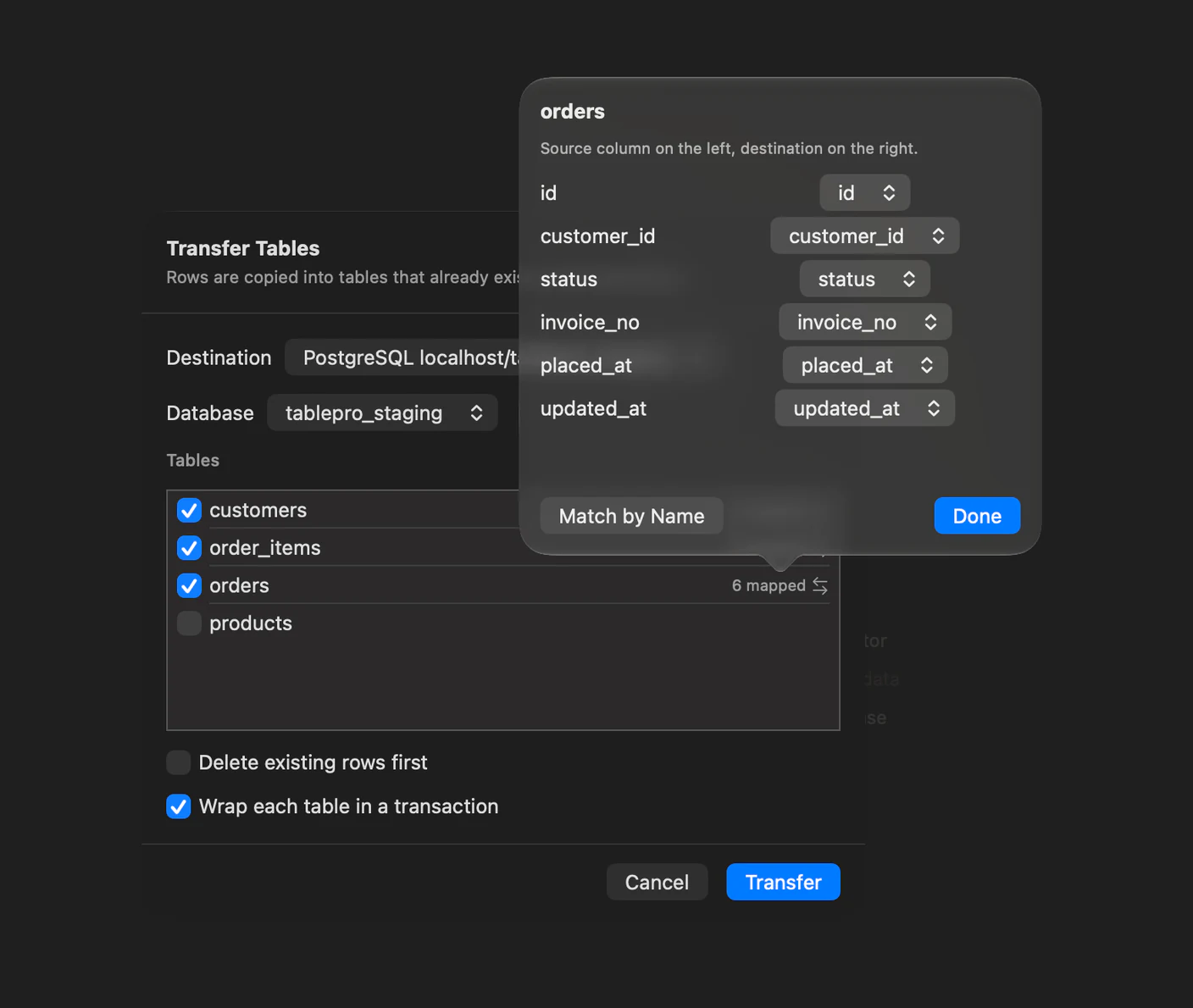
Transfer To
#Transfer To… on a table's right-click menu copies its rows straight into another open connection. There is no file in between, so there is no export step to configure and no import step to babysit. Columns are matched by name, and the sheet says how many matched before you run it.
Unloading on the server
#Oracle, Snowflake and BigQuery are usually the wrong shape for streaming a result through a laptop. File > Server-Side Export… has the server write it instead: an Oracle directory, a Snowflake stage, or a Google Cloud Storage bucket. Oracle writes CSV. Snowflake and BigQuery write CSV, Parquet or JSON.
Scripting it
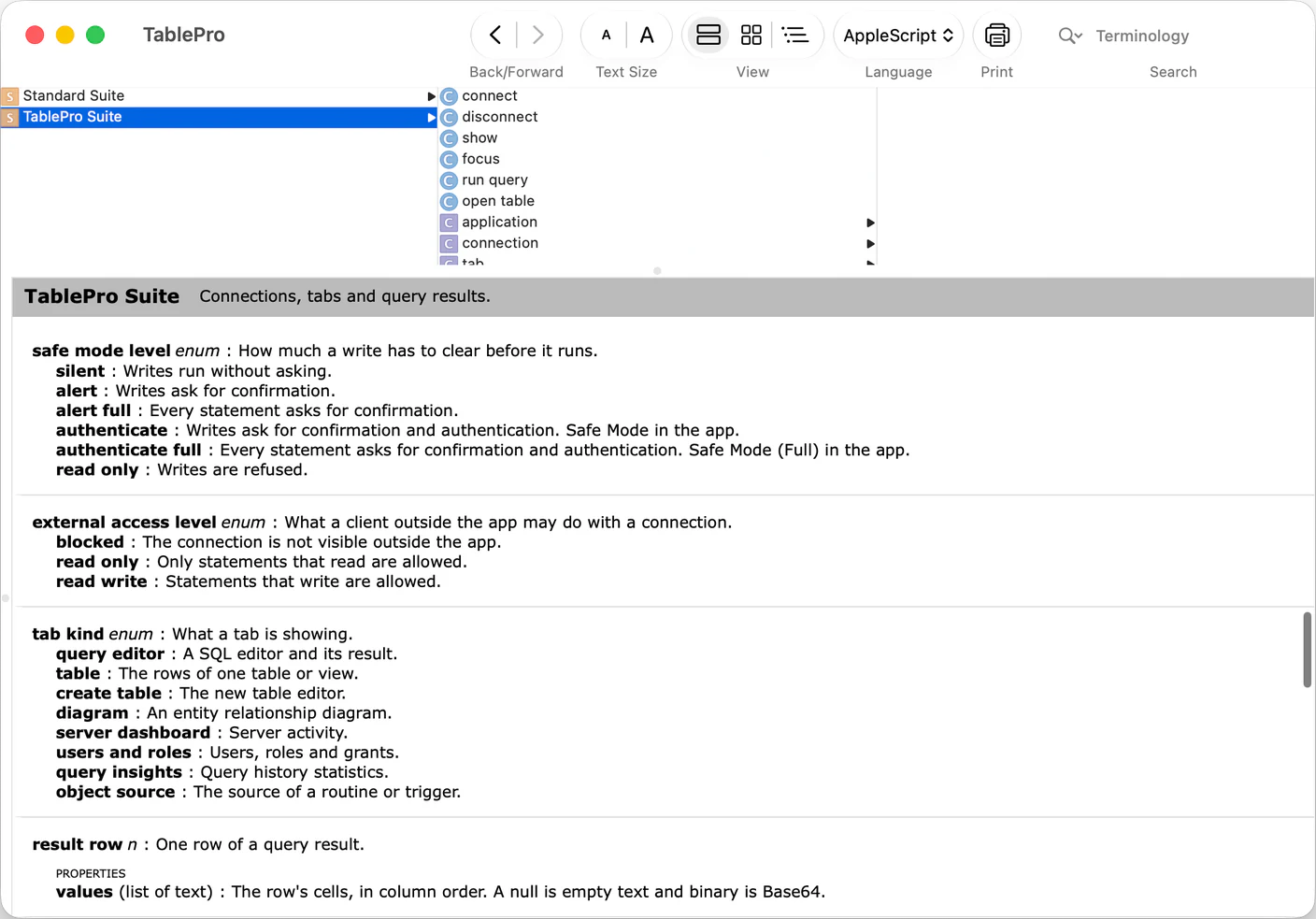
#TablePro has an AppleScript dictionary. A connection exposes its name, type, host, port, database, schema and whether it is connected. A tab exposes its kind, its query, its current result and its selection, so a script can read the rows you have highlighted in the grid.
The commands are connect, disconnect, show, focus, run query and open table. run query returns 500 rows by default and 10,000 at most, and reports truncated when the limit cut the result short.
Safe Mode and the connection's External Clients level both apply to a script, exactly as they apply to you.
Also new
#- A Types section in the sidebar for PostgreSQL enums, composites, domains and ranges, with a definition tab and enum label editing.
- A value picker on a foreign key cell, listing rows from the referenced table with a readable label beside the key.
- Markdown, HTML, XML and NDJSON export. Parquet installs from Settings > Plugins.
- XLSX import, reading the first worksheet of a workbook.
- Jump to Column, a fuzzy search over a result's columns with their type and position.
- The toolbar's duration readout splits into server, first row and transfer time, and Query Insights now ranks on the time the database spent rather than on elapsed time.
- Connection groups in Switch Connection, with
Cmd-click to open a saved connection in a new window. - An import that skipped rows offers Save Report, listing each skipped row's line and error as CSV.
What it will not do
#The dump tools are not shipped with the app and not installed for you. Without pg_dump on your machine there is no PostgreSQL backup, only a message telling you which binary to install. That is the cost of writing your engine's real format instead of one of ours.
Server-Side Export writes where the server can reach, not where you can. The file lands in the Oracle directory, the Snowflake stage or the bucket, and getting it onto your Mac is a separate step with your cloud provider's own tools.
Parquet export is a separate plugin rather than part of the app because it links its own copy of DuckDB to do the encoding, which is a lot of binary to ship for one format.
run query is for driving the app, not for bulk extraction. It stops at 10,000 rows. The export tree is what moves a table.
Getting it
#TablePro > Check for Updates, or download it.
If you use DuckDB, MSSQL, Snowflake, LibSQL or Cloudflare D1, update those plugins too. The fix that stops foreign keys being written twice in a SQL export ships in the driver.
The full changelog has all 73 entries.
Related pages
Full release notes
Available for Mac, iPhone and iPad.
Download for Mac