
TablePro 0.84: Find and Replace in Every Data Grid
TablePro Team
On this page
TablePro 0.84 is out: 46 changes, 29 of them fixes.
Most of it is the data grid, rebuilt so every grid in the app works the same way: Find and Replace, multi-column sort, frozen columns with working headers, and an editor for long values. Databases with tens of thousands of tables stop stalling the sidebar, Open Quickly, autocomplete and AI chat, and MySQL 5.x and MariaDB list their routines again.
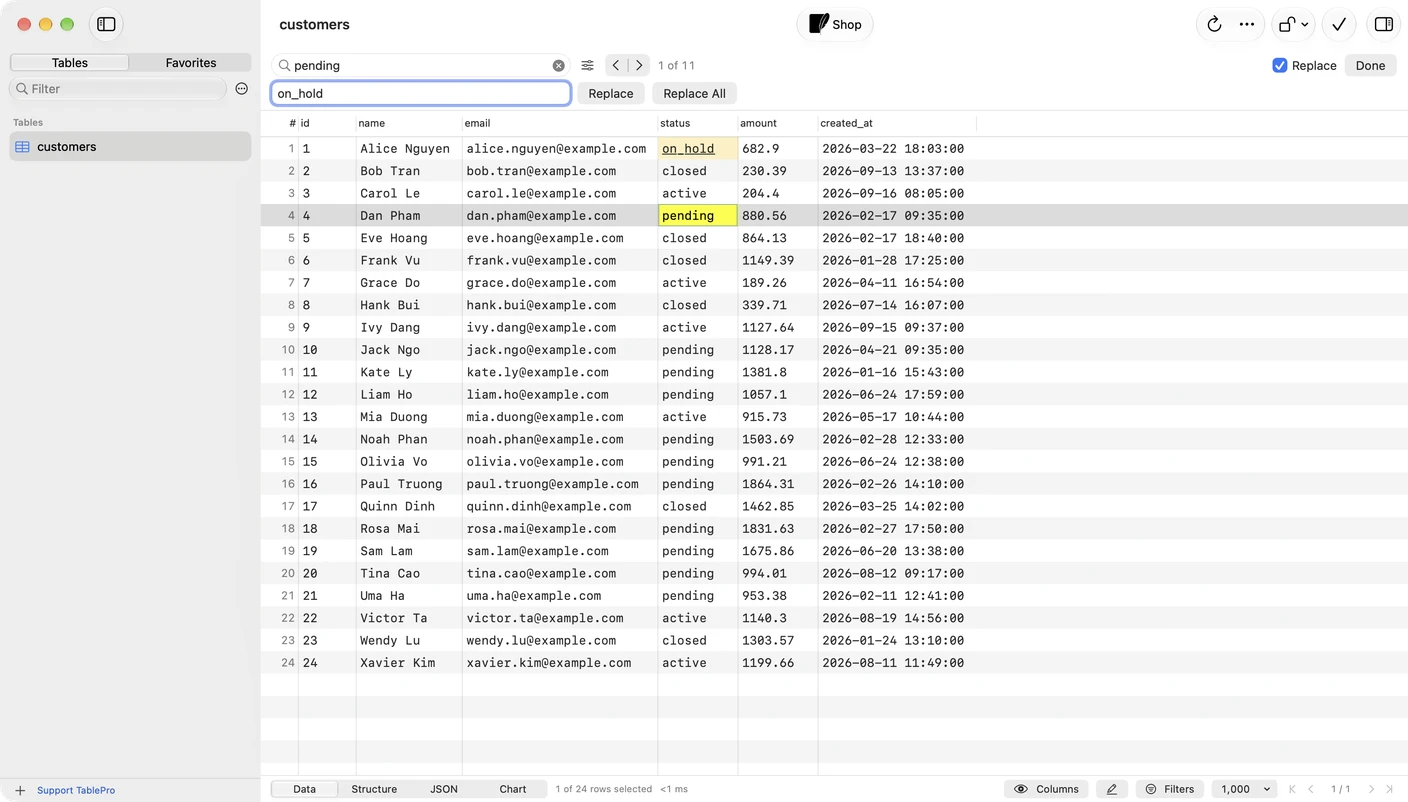
Find and Replace
#Press Cmd+F in any data grid to open the find bar, or Cmd+Option+F to open it with a replace field. The options menu beside the field has Match Case, Whole Words and Regular Expression, and Search In limits the search to one column.
Find reads the rows already loaded, and the counter says so: 3 of 12 on this page means more rows exist. When none of the loaded rows match, Search All Rows turns the term into a filter that runs at the database. A Data File window always searches the whole file.
Replace All changes every match as one step, so one Cmd+Z puts them all back. With a regular expression, $1 inserts the first capture group. Replacements wait for Save Changes like any other edit. Find in the loaded rows has the details.
Sorting and frozen columns
#Click a header to sort and click it again to reverse. Option-click another header to add it as a second sort key. Shift-click no longer adds a key, and a third click no longer turns sorting off: use Don't Sort in the header's right-click menu.
Columns frozen with Freeze Up to This Column now sort, resize and reorder from their own headers at any scroll position. A value with a line break or over 256 characters opens in an editor anchored to the cell instead of a one-line field.
Big catalogs
#The sidebar, Open Quickly, autocomplete and AI chat are now timed against PostgreSQL and Oracle with 100 schemas of 500 tables each, and MySQL with 50,000 tables in one database. Open Quickly rebuilt all 50,000 rows each time it opened, an Oracle sidebar search waited for every other schema's tables, and sending an AI chat message froze the app. Those stalls are gone, and Oracle lists the 50,000 tables in 51 round trips instead of 1,001.

The AI chat Tables menu lists the first 100 tables, and @ in the message finds any other. On MySQL and MariaDB, autocomplete after a database name and a dot lists that database's tables instead of nothing.
MySQL 5.x and MariaDB routines
#On MySQL 5.x and MariaDB, the routine list read each routine's parameters with a query the server answers by going through every routine it holds. With 300 routines in a database and 3,000 on the server, that took 11.1 seconds on MySQL 5.6 and 6.5 on MariaDB 10.6. It takes 0.1 seconds now. MariaDB packages no longer show under Functions, where they could not be opened.
Save Changes on its own
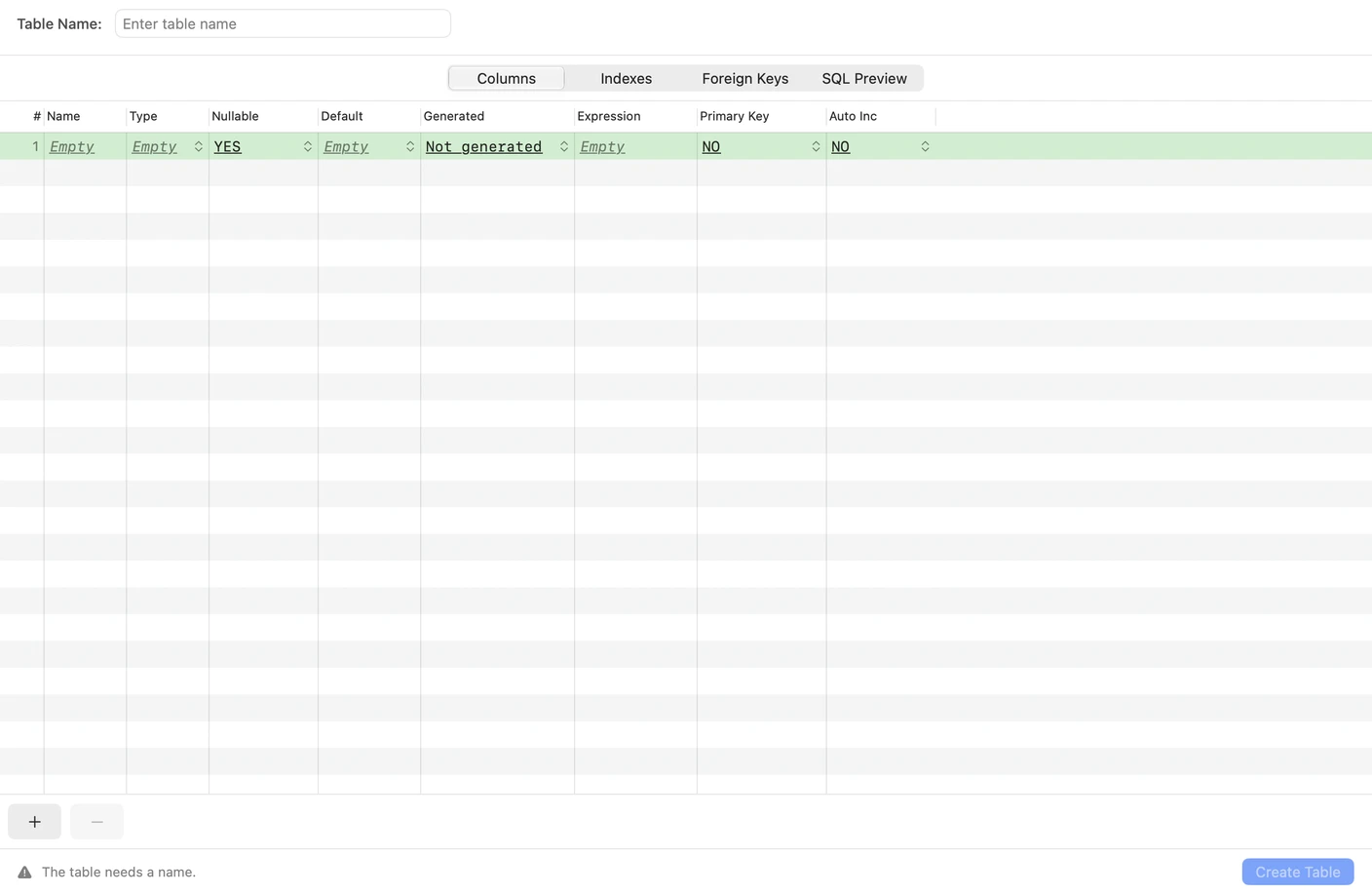
#Save Changes sits in a toolbar section of its own, after Refresh, the actions menu and Safe Mode. A toolbar you customized keeps your order. Panes that switch views, such as Structure and Create Table, use native tabs, and their grids run edge to edge.
Also new
#- Connecting with a downloaded driver such as Oracle no longer freezes the window while the driver loads
- Right-clicking a cell outside the selection acts on that cell and leaves the selection alone
Fixes worth knowing about
#- An edit, delete or paste under a value filter could land on a different row
- Switching tabs with a cell still open could save the edit into the other tab
- After rows reloaded, Delete could act on rows the grid no longer showed as selected
- Display As on a query result went back to the default format after Load More
- Oracle schema rows in the sidebar could not be selected, so the keyboard could not open one
What it will not do
#- With the SQL editor focused,
Cmd+Fsearches the SQL. Click into the result first - Replace works on the stored value, so a match that exists only in a Display As form is left alone
- Search All Rows replaces the tab's filters, so it appears only when none are applied, and never on Cassandra or ScyllaDB
Getting it
#TablePro checks for updates on its own, or choose TablePro > Check for Updates…, or download it from tablepro.app.
The 0.85 beta
#0.85.0-beta.1 is out for testing. It adds:
- Neo4j, InfluxDB 2 and 3, Qdrant, Memcached, StarRocks and KingbaseES connections
- A tab above the grid for each result when a script returns two to six
- A Structure tab with columns, indexes, foreign keys and checks on one page
- Masking rules that hide matching values in the grid, copies, exports, the AI assistant and MCP
- Table Health for bloated tables, unused indexes and missing keys on PostgreSQL and MySQL
- Routine Debugger for PL/pgSQL and Oracle PL/SQL, and Live Messages for PostgreSQL, Redis and Kafka. Turn them on in Settings > Extensions, the new name of Settings > Plugins
To try it, turn on Get beta updates in Settings > General and choose TablePro > Check for Updates…. To leave, set Update channel back to Stable there. The beta stays until 0.85.0 replaces it, and Beta updates covers going back sooner. Report what breaks in a GitHub issue.
Related pages
Full release notes
Available for Mac, iPhone and iPad.
Download for Mac