
TablePro 0.88: Share Links and Export on iPhone
TablePro Team
On this page
TablePro 0.88 is out: 123 changes, 68 of them fixes.
A query or a result can now go to someone as a link they open in a browser, and the iPhone and iPad app reads and writes files. The tab bar is rebuilt to work like the macOS one, long values wrap in the data grid, and MySQL, PostgreSQL and SSH tunnels make fewer round trips.
Share links
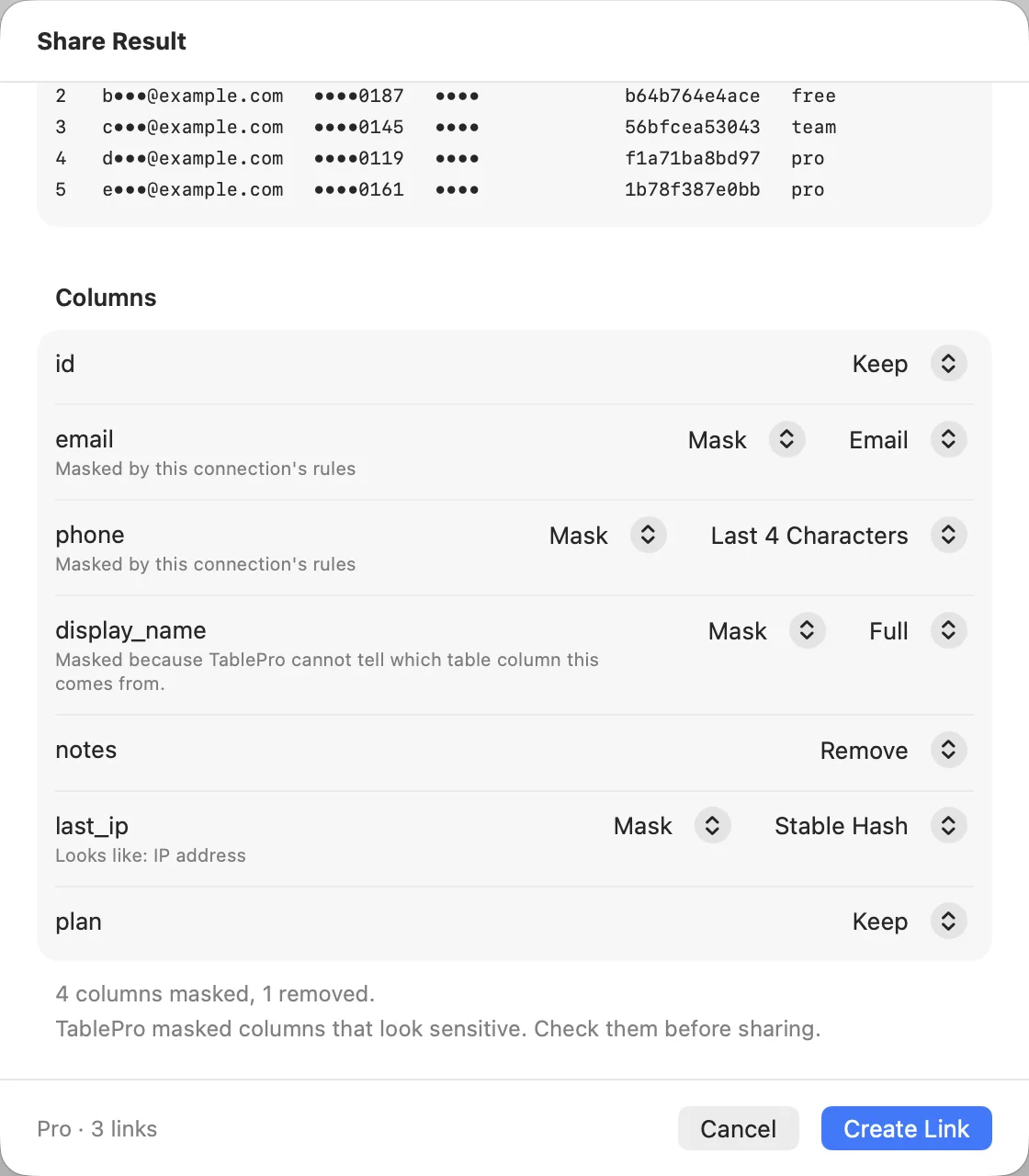
#Right-click a result and choose Share Result…, or right-click in the editor and choose Share Query…. Create Link copies the link. Anyone who has it reads the SQL and the rows in a browser, with no account and no TablePro.
Before a result goes, the Columns list sets each column to Keep, Mask or Remove. Columns whose names or values look like email addresses, phone numbers, tokens, card numbers or IP addresses start masked, and so do columns your connection's masking rules cover. Masking runs on your Mac, and a removed column is never sent.
Sharing needs a TablePro account with a verified email, under Settings > Account. Free gives you 5 live links of the first 1,000 rows, expiring after 1, 7 or 30 days. Pro and Team raise that to 1,000 links of 10,000 rows, with passwords and links that never expire.
Open in TablePro on a link's page puts the SQL in a new query tab without running it. No connection details travel with a link. Shared Links covers the rest.
Export and import on iPhone and iPad
#TablePro for iPhone and iPad 1.2, on the App Store since November 23, exports a table, a query result, selected rows or a whole database to a file: CSV, JSON, SQL, XLSX, Markdown, or MQL for MongoDB. The share sheet then sends it to Files, AirDrop or another app.
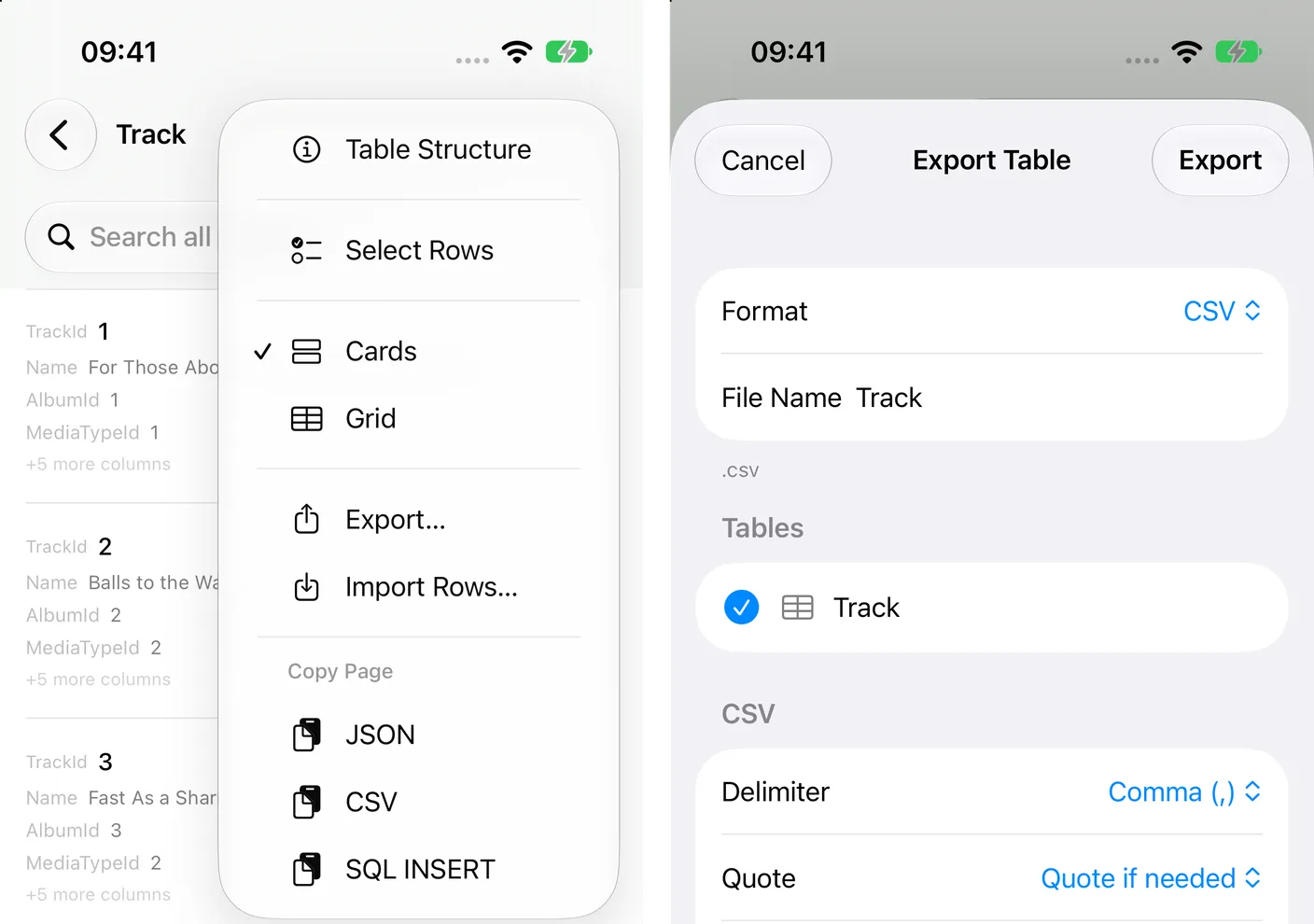
Import Rows… reads a CSV, TSV, JSON or XLSX file into a table, new or existing, and can update rows whose key already exists. Run SQL File… runs a .sql or .sql.gz file. Export and import has the details.
A tab bar like the system's
#The editor tab bar is rebuilt on the same parts as the macOS tab bar. It scrolls with momentum, the other tabs slide aside while you drag one, and Esc cancels a drag. Drop a tab on another window of the same connection to move it there.
Double-click a query tab, or choose Rename Tab from its menu, to name it. The name survives a restart.
The When tabs stop fitting setting is gone. The bar is always one row and scrolls, so tabs you had wrapping onto more rows now scroll.
Wrap Text and the value editor
#View > Wrap Text wraps a long value onto up to 10 lines, and a line break in the value starts a new line. Each tab keeps its own choice. Wrap text in cells in Settings > Data sets it for new tabs.
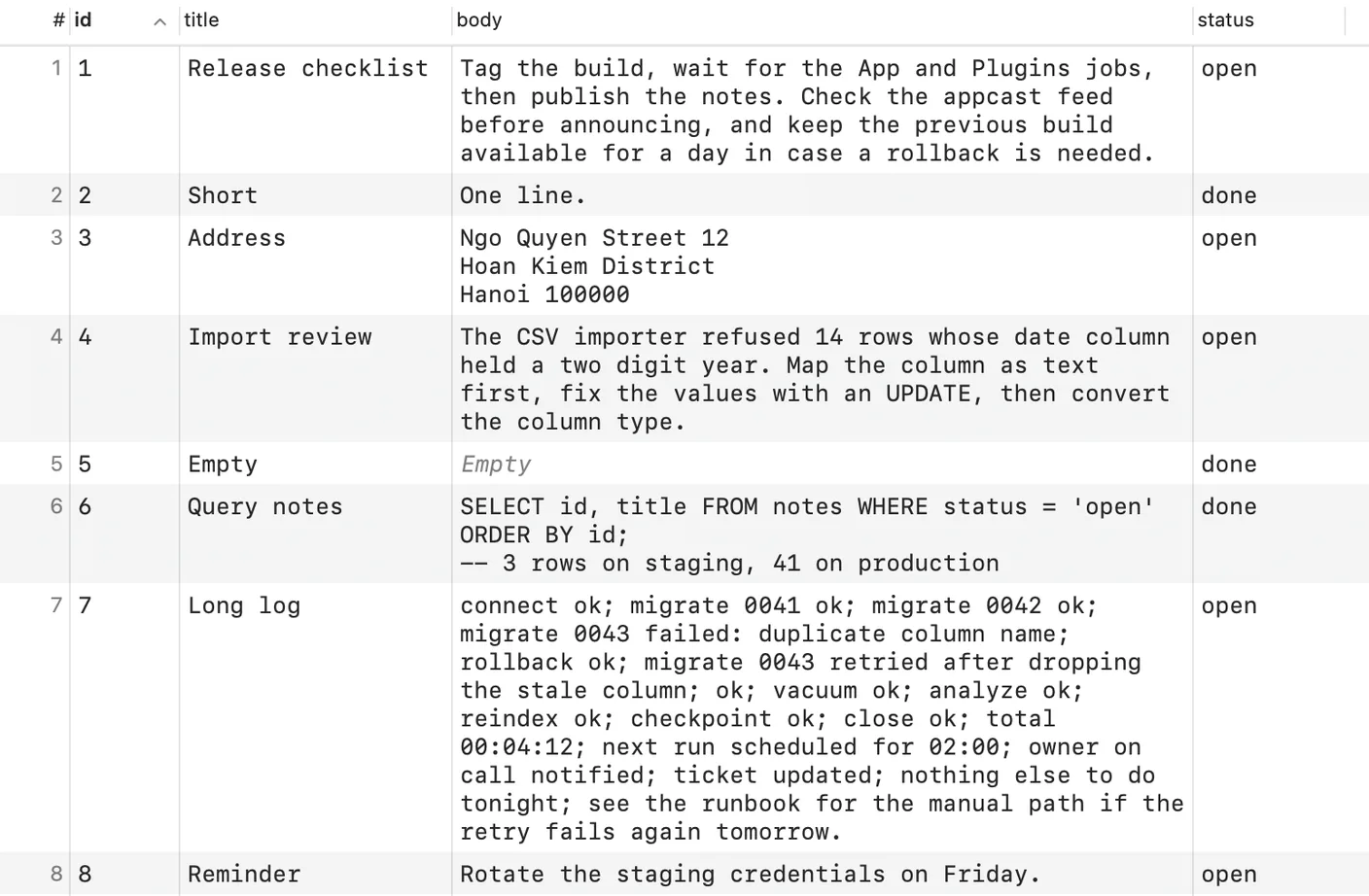
Option+Return opens the value editor of the active cell, for JSON, dates, enums, long text and the other types that have one. It is also Open Value Editor on the cell's right-click menu.
Fewer round trips
#MySQL and MariaDB no longer send a USE before each statement, so a query or a page takes half as long on a distant server. PostgreSQL reads a table's columns in one round trip, and SSH tunnels open with a 32 MB window instead of 2 MB. Where TablePro 0.88 got faster has the measurements.
Also new
#- Exporting 200,000 rows to CSV takes 0.12 seconds instead of 0.98
- Large ClickHouse results decode about 2.7 times faster
- Table tabs open sorted by their primary key, unless you set Default sort in Settings > Data
- VoiceOver reads the data grid columns on screen
Fixes worth knowing about
#- Switching tabs cleared the undo history of grid edits not yet saved
- PostgreSQL pages of a large table with no sort order could skip rows
- One connection TablePro could not read emptied the whole connection list
- Read-Only Safe Mode blocked reading rows from BigQuery, Spanner, Elasticsearch, Typesense and etcd
- Ten Vim mode fixes:
d%,dnandd}only moved the cursor, andReturn,+and-did nothing in Normal mode
What it will not do
#- A shared link is a copy stored by TablePro's service, and anyone who has it can open it. Treat it like the data it shows
- Hide SQL keeps the query off the page, but the service still stores it
- A shared result holds at most 100 columns and about 4.5 MB of values
- On iPhone and iPad, MongoDB and Redis import nothing
Getting it
#TablePro checks for updates on its own, or choose TablePro > Check for Updates…, or download it from tablepro.app. The iPhone and iPad app updates from the App Store.
Drivers you downloaded, such as Oracle, DuckDB and MongoDB, have updates in Settings > Extensions.
Available for Mac, Linux, iPhone and iPad.
Download